
Imagine selling your products to happy customers all over the world. It sounds incredibly exciting, right? Doing business across countries is a fantastic way to grow, but it also requires a lot of organization.
To succeed, businesses rely on global logistics. This phrase simply means the physical movement of goods from one country to another. Whether you are buying products from abroad to sell locally, or shipping your own goods to international markets, you are using logistics.
There are three main ways businesses trade globally today:
| Business Term | What It Simply Means |
| Import | Buying products from another country and bringing them into your own country. |
| Export | Selling products made in your country and sending them to buyers abroad. |
| Drop Shipping | Selling a product online, then having the supplier ship it directly to the customer without you ever touching it. |
Running any of these businesses means managing a lot of moving parts. You have to track shipments, count your stock, and handle paperwork. If you use a different computer program for every single task, your business can quickly become confusing and messy.
Enter the Connected Ecosystem
To make life easier, modern businesses use a logistics ecosystem. In the tech world, an ecosystem is a group of different software tools that connect and talk to each other perfectly, just like a supportive team.
Odoo is a smart, all-in-one software platform that acts as this ultimate ecosystem. Instead of using five different programs, Odoo brings everything onto one single screen.
By using one connected system, your business enjoys major advantages:
- Less Mistakes: Information moves automatically, so you do not have to type the same data twice.
- Saved Time: You can see your orders, shipments, and money in real-time.
- Happier Customers: Packages arrive faster because your system is organized and smooth.
In this article, we will explore exactly how Odoo simplifies global trade, so you can spend less time worrying about paperwork and more time celebrating your success.
The Big Challenges of Global Trade Today
1. Scattered Information and Separated Computer Systems
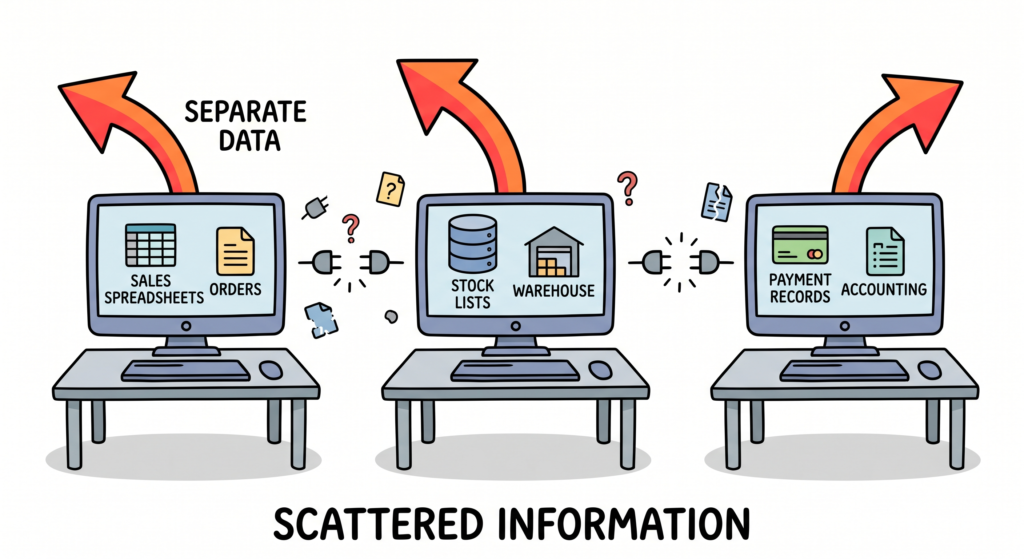
When a business grows, it collects a massive amount of information. This information includes customer addresses, item numbers, and money records. A big problem for many trading businesses is data fragmentation. This phrase means that your important business information is split up into many separate pieces instead of being kept together in one safe place.
For example, your sales team might write orders in a simple spreadsheet. At the same time, your warehouse team uses a completely different program to count the products on the shelves. Finally, your accounting team uses a third system to track payments.
Because these computer tools do not talk to each other, your business runs into simple errors. Someone has to copy the exact same information into three different places. This manual copying takes a long time and leads to easy typos. If a customer changes their shipping address, you might update it in one system but forget to change it in another.
Understanding this challenge is the first step toward a bright future. When you realize your information is scattered, you can actively look for a smart solution to unite it. Bringing your data into one single workspace keeps your team happy. It also stops the daily confusion and allows everyone to see the true facts instantly. Organized data gives your company a strong foundation to build on.
- Sales spreadsheets are isolated from stock lists.
- Shipping details are separated from payment records.
- Customer updates get lost between different departments.
2. The Mystery of Missing Live Updates for Shipments
When you ship products across the world, your goods travel on boats, airplanes, and delivery trucks. To keep your customers smiling, you need real-time visibility. This term means being able to see exactly where your products are located at this very second.
Unfortunately, many businesses do not have this live view. They only receive an email when a container leaves a port, and another email when it arrives weeks later. In between those dates, the location of the goods is a total mystery. If a big storm delays the ship, the business owner does not find out until the delivery is already late.
This lack of clear sight makes it very difficult to plan your daily activities. If you do not know when your inventory will arrive, you cannot tell your customers when they will get their packages. This waiting creates stress for your team and causes your buyers to lose confidence in your store.
Thankfully, turning this challenge into a success is entirely possible. By learning about modern tracking methods, you can gain complete control over your shipping journey. Knowing where your goods are allows you to prepare your warehouse team for the exact hour the delivery truck arrives. It also lets you send joyful updates to your customers, which builds strong relationships. Having open and clear eyes on your shipping routes helps your business navigate the globe with absolute confidence.
| Shipping Step | Old Way (Blind) | Modern Way (Visible) |
| Leaving Port | Simple email notice | Digital time marker |
| Over the Ocean | Total guesswork | Live satellite track |
| Final Delivery | Surprise arrival | Exact arrival hour |

3. Staying Ahead of Changing International Trade Rules
Every country has its own strict laws about what items can enter its borders. When you trade globally, you must follow these laws carefully. A major hurdle for growing companies is dealing with regulatory complexity. This term means that the legal rules and paperwork for international shipping are very complicated and change frequently.
An important part of these rules is dealing with tariffs. A tariff is a special tax that a government places on goods coming from other countries. Governments change these tax rates quite often. If a tariff goes up suddenly, the cost of importing your favorite product can double overnight.
Additionally, customs officers require extensive documentation. They check the exact materials inside your items and verify where they were made. If your paperwork has a single small error, officers might hold your boxes at the border for weeks. These customs delays slow down your business and cost you extra money.
However, navigating these rules successfully is a wonderful opportunity to stand out from your competitors. By staying organized and using clear checklists, you can master the legal steps easily. Knowing the rules protects your business from expensive fines and ensures your packages pass through borders quickly. When you handle paperwork correctly, you build a great reputation with global customs agents. This professional excellence allows your products to flow across the world without any frustrating interruptions.
- Governments frequently change product tax rates.
- Customs officers demand highly detailed forms.
- Small paperwork mistakes cause long border delays.

4. Building Strong Relationships with Many Global Partners
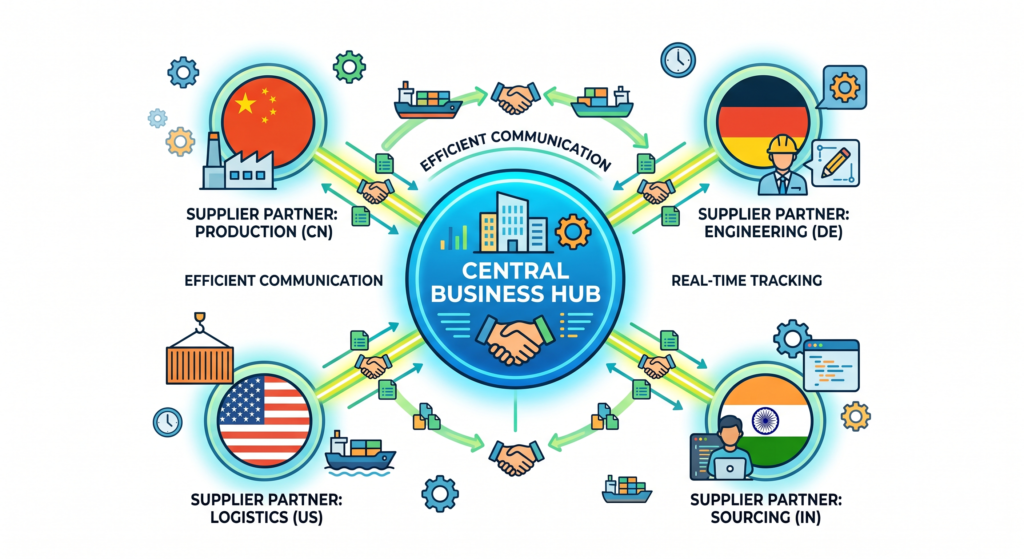
To run a successful trade business, you need to buy products from excellent makers. As your business expands, you will start working with many different factories across multiple countries. Managing all these relationships creates a challenge known as supplier orchestration. This phrase means organizing, communicating, and coordinating with all your product providers so they work together like a perfect musical orchestra.
When your partners live in different time zones, simple communication becomes difficult. You might send an email in the morning, but the factory owner will not see it until their next workday. Language barriers can also lead to misunderstandings about product colors, sizes, or delivery dates.
Furthermore, relying on just one factory is highly risky. If that specific factory runs out of raw materials, your entire business stops moving. To stay safe, you must find and track multiple backup suppliers who can help you at a moment’s notice.
Embracing this challenge allows you to build a powerful and friendly network around the globe. When you develop clear and simple ways to communicate, your global partners become true friends who want to help you win. Tracking your suppliers carefully helps you choose the most reliable partners for your top orders. A diverse and happy group of suppliers ensures that your online store always has beautiful items ready to sell. This strong teamwork keeps your business safe from unexpected shortages and fills your days with positive international connections.
Methods for great supplier teamwork:
- Use clear, simple language in all text messages.
- Keep a shared online calendar for production dates.
- Track factory quality scores together every month.
5. Tracking Hidden Costs and Counting Warehouse Products
To keep your business healthy and profitable, you must know exactly how much money you spend and how many items you own. This requires mastering two critical tasks: inventory tracking and calculating landed costs. Landed costs mean the total amount of money it takes to get a product from the factory floor all the way to your customer’s door.
Many new business owners make the mistake of only counting the price they paid to the supplier. In global trade, the supplier price is just a small part of the story. You also have to pay for ocean freight, insurance, border taxes, and local delivery trucks. If you do not calculate these extra expenses correctly, you might accidentally sell your products for a price that is too low, which hurts your profits.
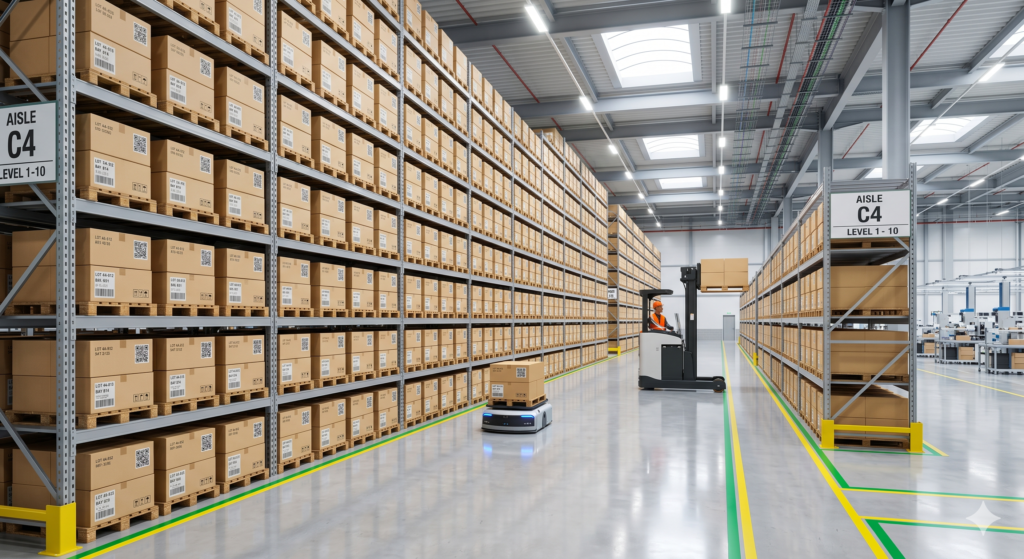
At the same time, counting your physical stock is a constant challenge. If your computer records do not match the real boxes on your warehouse shelves, you run into big trouble. You might sell an item online that is actually missing from your warehouse, which disappoints your buyer.
Overcoming this final hurdle is an exciting way to secure your financial freedom. When you learn to calculate your true expenses perfectly, you can set smart prices that guarantee your business makes a healthy profit. Knowing your exact inventory levels lets you sleep peacefully at night, confident that every customer order will be filled accurately. Accurate numbers give you the power to make wise decisions and grow your trading empire with absolute joy.
| Cost Category | Simple Description | Why It Matters |
| Factory Price | What you pay the maker | Base item cost |
| Landed Costs | Shipping, taxes, and fees | True total cost |
What Is Odoo and How Does It Help?
1. An Easy Introduction to the Odoo Software Platform
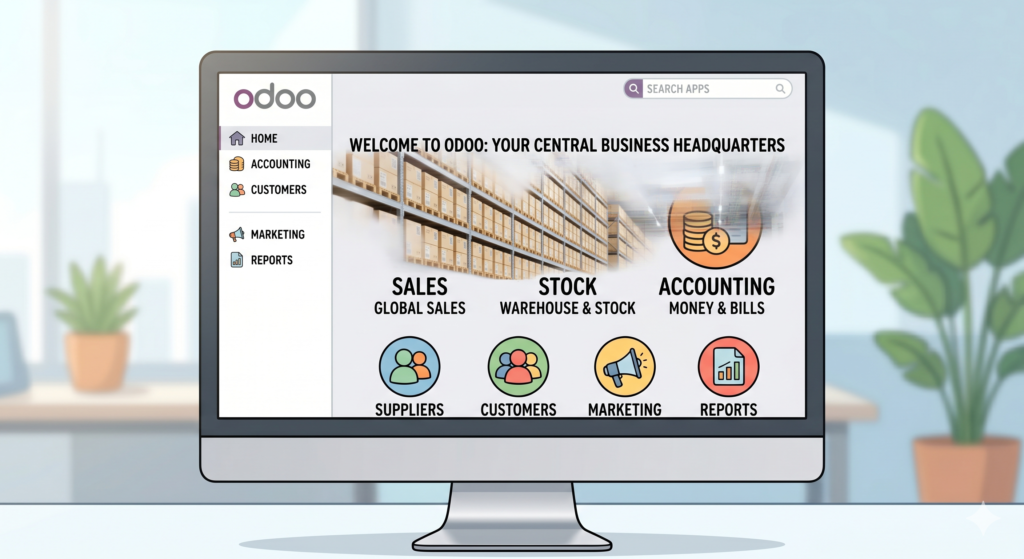
To run a global business smoothly, you need a great tool. Odoo is a modern computer software platform designed to help companies manage their daily work in a simple way. Think of Odoo as a central digital headquarters for your entire business. Instead of having separate programs for your store, your warehouse, and your bills, Odoo combines all of these jobs into one single system.
Before modern tools like Odoo, businesses used to struggle with mismatched applications. Now, Odoo acts as a friendly helper that keeps your information safe and tidy. It is built for businesses of all sizes, from a single person working at home to a massive international shipping company.
The main goal of Odoo is to remove stress from your workday. It does this by collecting your business data and showing it to you on a clean computer screen. When you open the software, you see a collection of beautiful icons. Each icon represents a different job in your company. By clicking these icons, you can check on your global sales, look at your customer list, or review your shipping paths in just two seconds.
Choosing Odoo means choosing a simpler way to work. It replaces old, dusty paper notebooks and confusing computer systems with a bright, welcoming interface. With this software, you can run your global trade operations with total peace of mind.
Here are the primary tasks Odoo organizes for you:
- Track product sales worldwide.
- Store customer contact details safely.
- Organize company money records clearly.
2. Modular Design: Building Your Perfect Business Setup Piece by Piece
Every business is unique and has different needs. A drop shipping company needs tools to talk to online suppliers. An import business needs tools to track large ocean containers. Odoo solves this problem beautifully through its modular design. This phrase means that the software is built out of separate building blocks called apps or modules. You can choose exactly which blocks you want to use.
Imagine building a house with toy plastic bricks. You only use the bricks you need at that moment. Odoo works the exact same way. When you first start your trading company, you might only need two apps: one for sales and one for inventory tracking. As your business grows and becomes more successful, you can easily add new apps, like accounting or customer service, with a single click.
This flexibility is wonderful for your business budget. In the past, companies had to buy massive, expensive software systems that included hundreds of tools they never used. With Odoo, you only activate the specific tools that help you win today.
All of these separate apps are engineered by the same creators. This means they look identical and work together perfectly. You do not have to learn a completely new system every time you add a feature. The modules fit together like matching puzzle pieces. This smart design allows your digital workspace to expand naturally alongside your dreams, making business growth an exciting and comfortable journey.
| Business Stage | Apps You Activate | Benefit to You |
| Starting Out | Sales & Inventory | Low cost, simple tracking |
| Growing Up | Accounting & Shipping | Automated bills, faster delivery |
| Large Scale | Marketing & Human Resources | More customers, happy workers |
3. How Odoo Automatically Connects Your Entire Team
In many traditional companies, workers spend hours running from desk to desk to share updates. The sales team must call the warehouse to ask if a product is ready. Then, the warehouse team must write a physical note to the shipping team. This old-fashioned way of working creates a massive delay in your global trade.
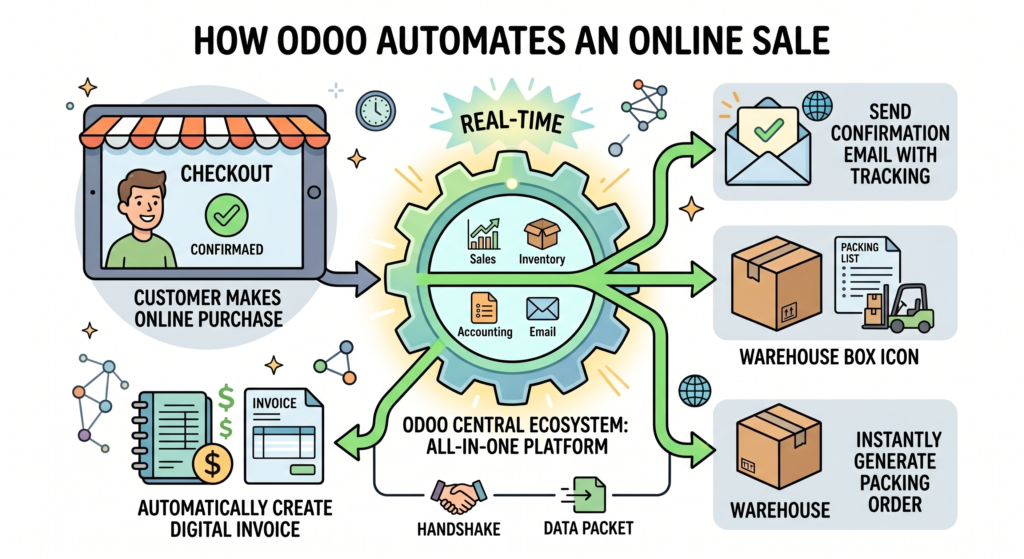
Odoo solves this issue through system integration. This term means that all the different parts of your company computer network are permanently wired together. When an action happens in one app, every other app updates itself instantly and automatically.
Let us look at a joyful example of this integration in action. Imagine a customer visits your online store and buys a beautiful item. The second the payment is complete, Odoo goes to work behind the scenes. It automatically creates a digital invoice for your accounting team. At the exact same microsecond, it alerts your warehouse team to pack the item. Finally, it sends a lovely email to your customer with a live shipping tracking number.
No human worker needs to copy data or pass papers along. The information flows like a clear, smooth river through your entire organization. This automation removes the risk of human error completely. Your employees no longer waste time on boring, repetitive typing tasks. Instead, they can focus their energy on making your clients happy and finding new trading partners around the globe.
- Customer buys an item online.
- Accounting receives the invoice instantly.
- Warehouse sees the packing order immediately.
- Customer gets a tracking link automatically.
4. Simple Visual Dashboards for Smart Decision Making
To guide your business toward long-term success, you need to make wise choices. You need to know which products are selling the fastest, which countries buy the most goods, and how much profit you make each month. Trying to find these answers by reading long lists of raw numbers can be incredibly exhausting.
Odoo solves this by using a visual dashboard. In the software world, a dashboard is a single webpage that uses colorful graphs, charts, and simple numbers to show you the health of your business at a single glance. It is just like the dashboard of a car that tells you your speed and fuel level instantly.
Instead of reading confusing financial text files, Odoo turns your business data into beautiful, easy-to-read visual images. You can see a bright green line showing your rising profits over the last six months. You can also look at a colorful pie chart that displays your top-selling items clearly.
These visual updates happen in real-time. This means you do not have to wait until the end of the year to see if your trading company is making money. You can check your progress every morning while enjoying a warm cup of coffee. Having access to clear visual data gives you immense confidence. You can quickly see which parts of your global trade are working perfectly and celebrate those wins with your team. It also helps you spot small problems early and fix them with a smile.

5. Saving Money and Growing Comfortably with One System
Investing in new technology can sometimes feel scary for business owners because of high costs. However, Odoo is designed to be highly cost-effective, which means it gives you incredible value for your hard-earned money.
When you use separate software tools for your international business, you have to pay a monthly subscription fee for every single program. Those separate costs add up to a huge bill very quickly. Even worse, you often have to hire expensive computer programmers to fix the connections when those different tools stop talking to each other. Odoo eliminates these extra expenses. Because it gives you all your business tools inside one package, you only pay for one single platform.
Additionally, Odoo uses modern cloud technology. This means the software lives on secure internet servers rather than on an expensive computer box inside your office. You do not need to buy costly hardware or pay tech experts to maintain a server room.
Cloud access also means you can run your global trade business from absolutely anywhere in the world. Whether you are resting on a sunny beach, traveling to meet a new factory supplier, or relaxing at home, you can log into Odoo using any smartphone or laptop. This freedom allows you to run your import, export, or drop shipping empire with complete comfort and joy. Odoo removes the boundaries of traditional work, providing your company with the perfect digital home to grow successfully for many years to come.

Bringing Goods In: Making Imports Easy
1. Creating Smart Purchase Orders for Global Suppliers
Importing beautiful products from other countries is a wonderful way to give your local customers unique choices. The very first step of this exciting journey is telling your international factories exactly what you need. To do this without any confusion, businesses use a Purchase Order. This term means an official digital note you send to a supplier that lists the exact items you want to buy, the number of pieces you need, and the price you agree to pay.
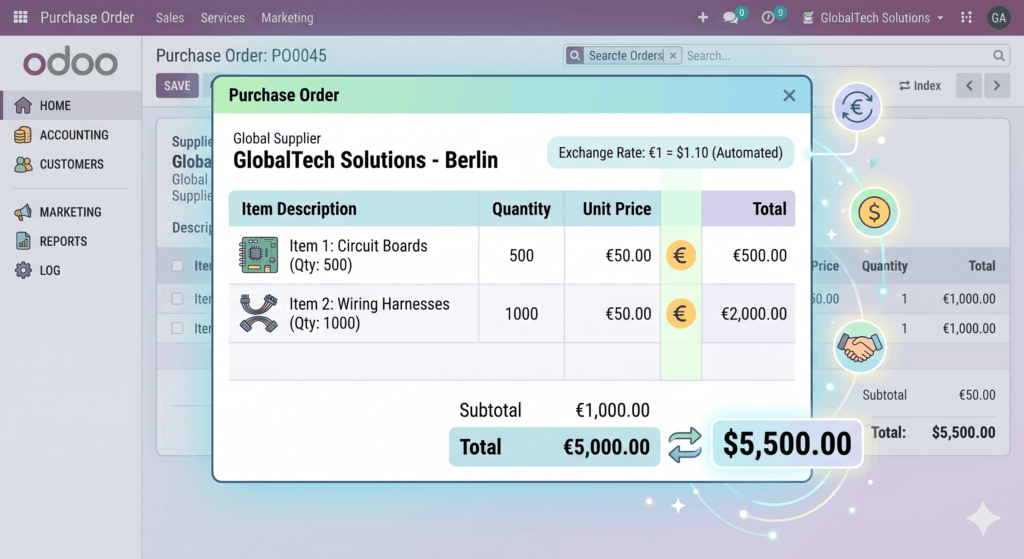
Odoo makes creating this document a peaceful and joyful experience. Instead of typing long emails or building manual text sheets, you simply open the Odoo Purchase application. You select your global factory from a friendly drop-down menu, click on the products you want, and the software builds a clean document automatically.
The software is incredibly smart because it handles different types of money, known as international currencies. If your factory is located in Europe, Odoo can automatically display the prices in Euros while tracking your company expenses in your local money. This means you do not have to waste time doing hard math equations on a calculator.
Once the document looks perfect, you can email it directly to your supplier with a single click. This smooth process ensures that your factory partners understand your order perfectly, which builds wonderful international friendships and sets your import business up for great success.
Using Odoo for your buying orders offers great benefits:
- Clear Communication: Stops factory mistakes before they happen.
- Automated Conversion: Handles global currencies instantly.
- Clean Digital Records: Allows you to find any past order in two seconds.
2. Mastering True Expenses with Landed Costs Calculations
When your goods leave a distant factory, they travel across oceans and borders to reach your hands. Along the way, your business accumulates extra fees beyond the initial factory price. To run a profitable business, you must track Landed Costs. This phrase means the true total cost of a product after adding all shipping fees, border taxes, insurance, and local delivery costs to the original price you paid the maker.
Odoo solves this complex math problem beautifully. When you pay an ocean shipping company to move your boxes, you can log that expense directly inside Odoo. The software then takes that large shipping bill and divides it fairly among all the individual items inside your warehouse.
For instance, if you import heavy tables and light chairs, Odoo can distribute the shipping cost based on the weight or size of each item. This gives you an incredibly accurate view of your actual expenses. Knowing your exact numbers protects your business from accidental losses. It allows you to set confident retail prices that guarantee a wonderful profit for your company.
This automated feature removes all guesswork from your daily financial planning. You can see your exact profit numbers clearly on your main screen without waiting for an accountant to finish weeks of manual paperwork. With Odoo, calculating your true expenses becomes an effortless task, keeping your finances healthy and your business growing with absolute joy.
| Cost Component | Factory Price Only | With Odoo Landed Costs |
| Product Price | $10.00 | $10.00 |
| Ocean Freight | Not counted | $2.00 |
| Border Taxes | Not counted | $1.50 |
| True Total Cost | $10.00 (Incomplete) | $13.50 (Accurate) |

3. Smooth Border Tracking and Receiving Your Shipments
Bringing goods across international borders requires interacting with customs offices. Customs agents need to verify what is inside your shipping containers before they let them enter the country. A vital document used during this step is the Bill of Lading. This phrase means an official receipt given by the transportation company that lists the cargo being carried and shows who owns the property.
Odoo acts as a safe digital vault for all of these critical papers. Instead of losing important customs documents under stacks of physical paperwork on your desk, you can attach your digital receipts directly to the order inside Odoo. This means your team can find any form instantly when a border officer calls with a question.
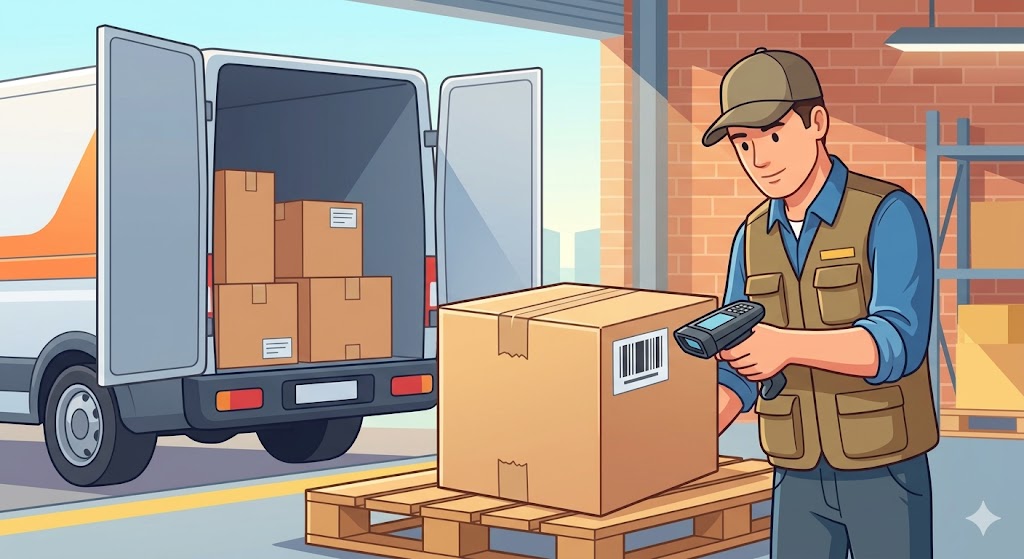
When the delivery truck finally arrives at your warehouse gates, Odoo makes receiving the goods a delightful and organized event. Your warehouse workers can open a tablet and see the exact list of expected items. They can use a simple barcode scanner to beep each box as it comes off the truck.
The software checks the scanned boxes against your original order automatically. If the factory accidentally sent the wrong number of items, Odoo alerts you immediately so you can fix the issue with a smile. This clear organization ensures your packages pass through customs quickly and arrive safely on your shelves.
- Digital Vault: Storage of border papers to prevent loss.
- Easy Scanning: Barcode support for super-fast warehouse arrivals.
- Smart Warnings: Real-time alerts if a shipment is missing items.
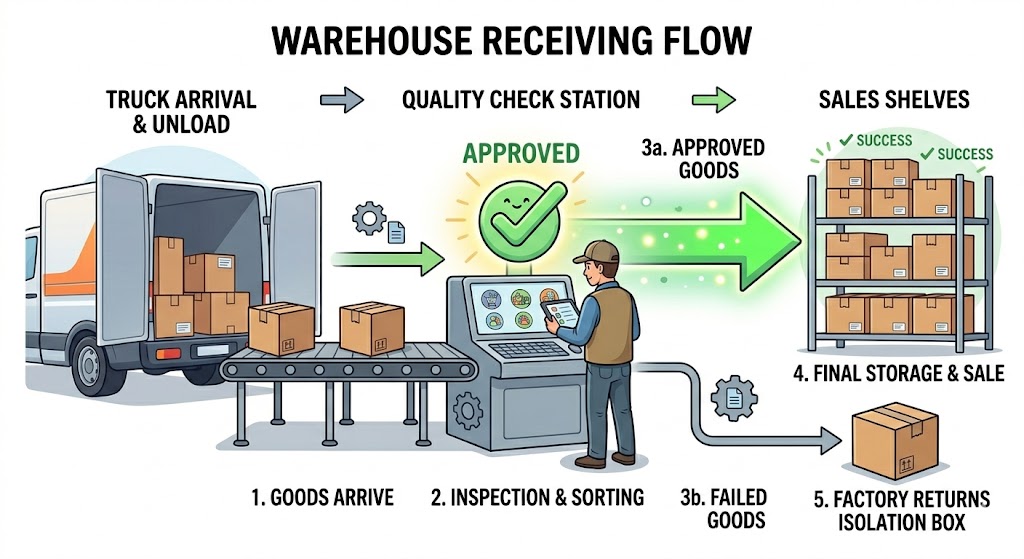
4. Smart Warehouse Sorting and Quality Checks
Once your imported products are safely inside your building, you must look after them carefully. Before placing items on your store shelves, it is wise to perform Quality Control. This term means a protective inspection process where your team checks new goods to ensure they are not broken, scratched, or damaged from their long sea journey.
Odoo helps you organize this process perfectly by creating a custom inspection zone inside your warehouse application. You can tell the software to automatically send every new import shipment to a special “checking station” before it can be sold to customers.
The software displays a simple checklist on your worker’s screen. The worker checks the items, clicks “Pass” or “Fail,” and adds notes or photos if something looks wrong. If an item passes, Odoo instantly moves it to the main storage shelves and updates your online store so customers can buy it.
If an item fails, the software isolates the broken product and automatically starts a return note for the factory. This smart system guarantees that you only sell perfect, high-quality items to your beloved buyers. It keeps your warehouse perfectly organized, saves your workers from confusion, and ensures your brand maintains an excellent reputation for quality.
Steps for incoming products inside Odoo:
- Truck arrives and goods are unloaded.
- Items move to the designated quality checking station.
- Perfect items go to sales shelves; damaged items go to a factory return box.
5. Matching Vendor Bills and Finalizing International Payments
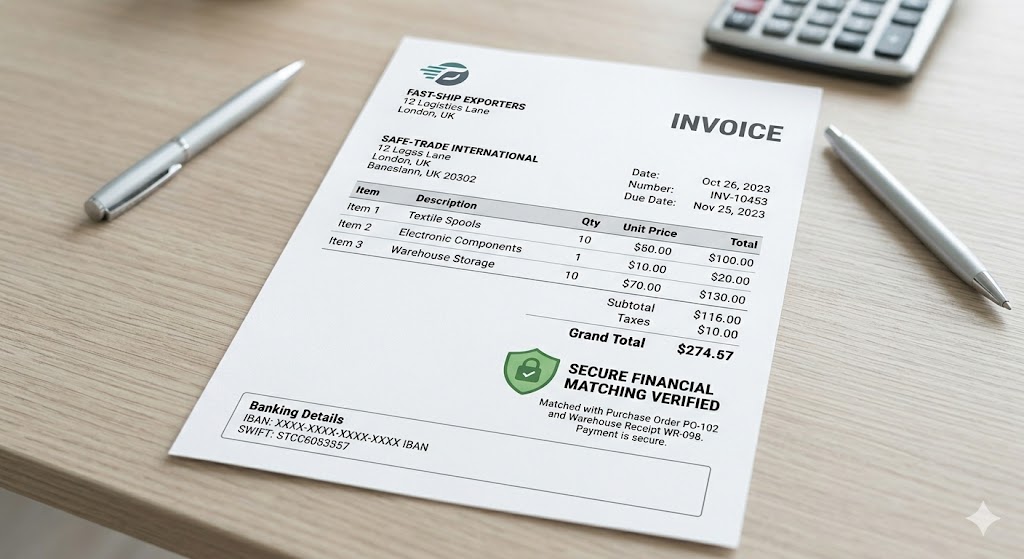
The final step of a successful import journey is paying the international factory for their excellent work. To do this safely, modern software uses a process called three-way matching to verify your Vendor Bill. A vendor bill is simply a digital request for money sent to you by a supplier after they provide you with products.
Odoo protects your hard-earned money by automatically comparing three important things: your original buying order, the warehouse receipt showing what actually arrived, and the final bill from the factory. The software checks to see if the prices and quantities match perfectly across all three documents.
If a factory accidentally charges you for 100 items but only shipped 80 items, Odoo highlights the mistake in bright red text. This automated safety net prevents your business from overpaying. If everything matches perfectly, Odoo approves the bill and sends it to your accounting system with a green light.
You can then use Odoo to schedule international bank payments smoothly. Completing your bills accurately and on time makes your suppliers incredibly happy. It creates deep trust, which encourages global factories to give your business better prices and faster service on your future orders.
- Step 1: Odoo reviews what you originally ordered.
- Step 2: Odoo checks what actually arrived at your warehouse.
- Step 3: Odoo verifies the bill from the supplier before you pay a single cent.
Sending Goods Out: How Odoo Simplifies Exports
1. Managing Global Sales Orders and Customer Quotations
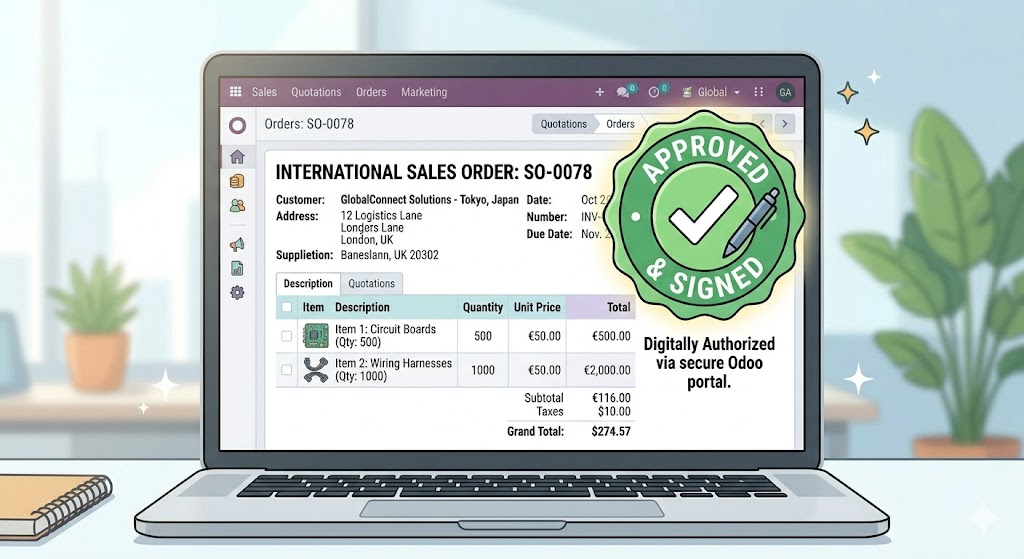
Selling your excellent products to eager buyers in other countries is a very proud moment for any growing business. To start an international sale smoothly and without any confusion, you must first create a Quotation. This term means a formal digital document that shows your buyer the exact price of your items, the shipping costs, and the terms of the sale before the purchase becomes official.
Odoo makes this initial step a wonderful and stress-free experience. When a global customer sends you an inquiry, you simply open the Odoo Sales application to create a new record. You can select your client from a friendly list, choose the products they want, and the software builds a beautifully formatted document automatically.
If your buyer lives in a different region and speaks another language, Odoo can automatically translate the entire document into their native tongue. It also handles complex international pricing tiers perfectly. For example, if you have a special wholesale discount rule for buyers in Asia, the software applies the correct prices instantly without you doing any manual calculations.
When your customer receives the document via email, they see a highly professional layout. They can click a secure button on their computer screen to approve the price and sign the document digitally from across the ocean. The very microsecond they sign, Odoo turns that quotation into an active global sales order, setting your export journey up for complete success.
- Instant Translation: Speaks your customer’s language automatically.
- Smart Pricing: Applies international discounts without any manual math.
- Digital Signatures: Approves global deals in seconds over the internet.
2. Automated Packing and Smart Stock Allocation
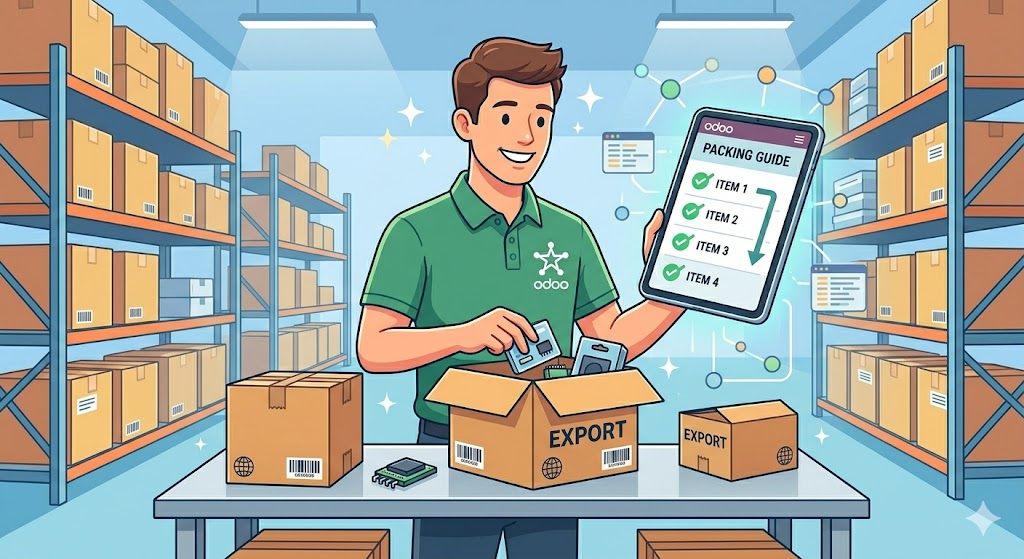
Once an international order is successfully confirmed, your team must prepare the physical goods for their long journey. To prevent mistakes, your warehouse needs to practice Stock Allocation. This phrase means setting aside specific items on your warehouse shelves so they are reserved exclusively for one confirmed buyer and cannot be accidentally sold to anyone else.
Odoo manages this process beautifully and automatically behind the scenes. The moment a sales order is signed, the Odoo Inventory application instantly locks the required items in your digital records. It then generates a clear, step-by-step packing list for your warehouse team.
Your workers can look at a portable tablet screen to see exactly which aisle, shelf, and bin contain the items for the new order. This targeted guidance eliminates time spent searching through big rooms. To make things even better, Odoo plans the most efficient walking path through your building, which saves your employees energy and keeps them happy.
As your team packs the items into sturdy export boxes, they can scan the barcode on each product using a simple hand-held device. The software verifies every single scan against the original customer order in real-time. If a worker accidentally grabs the wrong size or color, Odoo plays a gentle warning sound to stop the error immediately. This automated safety net guarantees that you send the exact right products to your global buyers every single time.
| Packing Step | What Odoo Does | Benefit to Your Business |
| Order Confirmed | Reserves stock instantly | No double-selling mistakes |
| Picking Items | Shows exact shelf location | Saves time and keeps workers happy |
| Final Packing | Verifies barcodes automatically | Ensures absolute order accuracy |
3. Smooth Delivery and Shipping Carrier Integration
Sending your products across the world requires working closely with international shipping networks. To do this efficiently, modern export businesses rely on Carrier Integration. This term means linking your central business software directly to global shipping lines, express delivery companies, and postal services so they can share data instantly.
Odoo features powerful built-in connections with major international delivery networks like DHL, FedEx, and UPS. Instead of typing your customer’s shipping address into a completely separate website, Odoo shares the details with your chosen delivery partner automatically with a single click.
The software instantly requests the exact shipping price based on the weight and size of your boxes. It then generates the official international shipping labels right inside your dashboard. Your team can print these labels immediately and stick them onto your export boxes without any tedious manual work.
Even better, Odoo automatically retrieves the unique live tracking number from the shipping company. It posts this link directly into your system and emails it to your happy customer. This allows both your team and your buyer to watch the package move smoothly across countries in real-time. This open visibility creates tremendous peace of mind, removes delivery anxiety completely, and helps you provide a world-class service that makes your brand shine globally.
- Direct Connections: Links your warehouse to top global shipping carriers.
- One-Click Labels: Prints official international shipping labels instantly.
- Automatic Tracking: Shares live shipping updates with your buyers automatically.
4. Handling Customs Paperwork and Export Certificates
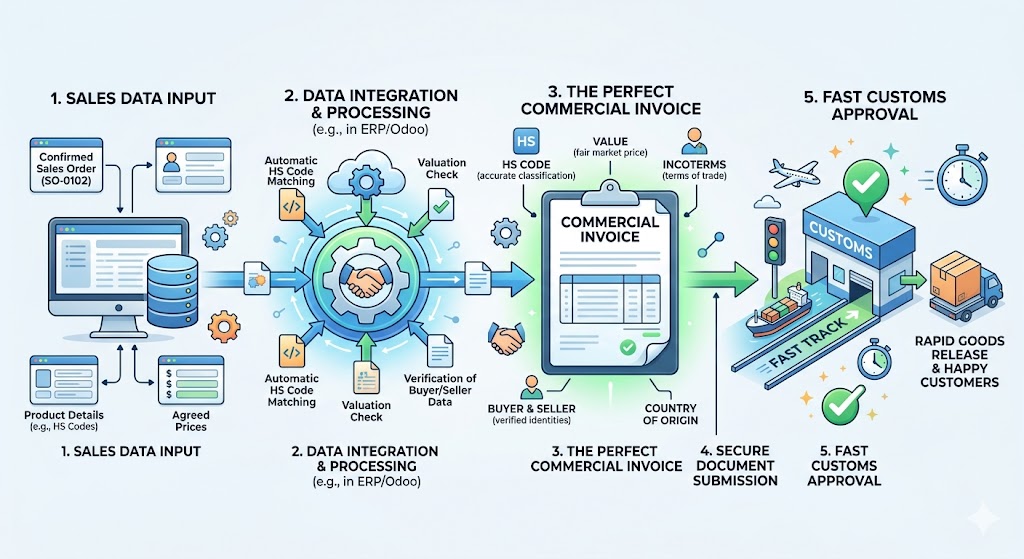
When products leave your country to enter another, they must pass through national borders. Border officers must check your goods to ensure they are safe and to calculate appropriate taxes. The most critical document you need for this step is a Commercial Invoice. This phrase means a formal legal document that describes your exported goods, states their true financial value, and lists the seller and buyer details for customs agents.
Dealing with international customs can sometimes feel intimidating, but Odoo turns this challenge into an easy, organized process. Because all your sales and product data live inside one ecosystem, Odoo generates your commercial invoices automatically using the exact facts from your original sales order.
The software ensures that your documents include the correct HS Codes. This acronym stands for Harmonized System Codes, which are standard international numbers used to classify different types of products around the world. Odoo stores these numbers directly on your product pages, so they paste onto your customs forms automatically.
You can also store digital copies of special export certificates, origin papers, and weight receipts directly inside the Odoo Documents app. Having all your paperwork organized in one digital vault prevents costly border delays. When customs agents see your highly accurate and perfectly formatted documents, your shipments pass through borders quickly and reach their final destination without any frustrating interruptions.
[Sales Order Data] ---> [Odoo Document Engine] ---> [Perfect Commercial Invoice]
                                                            |
                                                            +---> Includes HS Codes
                                                            +---> Includes True Value
                                                            +---> Fast Customs Approval
5. Collecting International Payments and Tracking Customer Invoices
The most exciting and rewarding part of a successful export business is receiving your international payments. To track this incoming money accurately, your company accounting team must look after your Accounts Receivable. This phrase simply means the total amount of money that your global customers owe to your business for the products you have safely sent them.
Odoo makes managing your international finances a joyful and straightforward task. The moment your warehouse team ships the export boxes out the door, the Odoo Accounting application automatically creates a clean customer invoice.
The software includes smart payment links directly on the digital invoice document. This allows your global clients to pay you instantly using credit cards, secure online bank systems, or international wire transfers. Odoo supports multiple languages and currencies, so your clients can view their bills in their own money while the software logs the payment in your home currency.
When the money arrives in your bank account, Odoo uses smart matching technology to connect the incoming payment with the correct customer invoice automatically. It marks the bill as “Paid” with a bright green label and updates your financial dashboards in real-time. This high level of automation keeps your cash records perfectly clean, protects your business from bookkeeping errors, and allows you to celebrate your global financial growth with complete confidence and joy.
- Step 1: Odoo creates the customer invoice automatically upon shipping.
- Step 2: Global buyers pay easily using integrated international payment links.
- Step 3: Odoo matches the bank payment to the invoice automatically with a green success light.

Drop Shipping Made Simple: The Odoo Way
1. Understanding the Magic of Drop Shipping
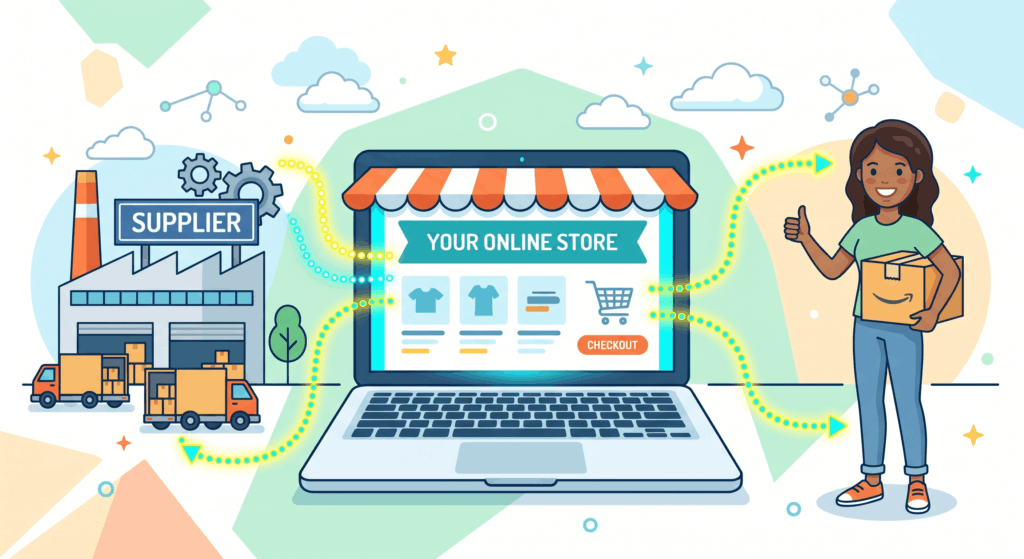
Running an online store is an amazing adventure. Traditionally, store owners had to buy hundreds of products beforehand. They had to stack them inside a rented room or a large warehouse. This old method required a massive amount of money up front. Today, there is a much simpler and happier way to sell goods globally. This modern business model is called drop shipping. This phrase means a retail system where a store sells products that it does not actually keep in its own physical stock.
Instead, when a customer buys an item from your website, you purchase that exact item from a separate third-party supplier. That supplier then packs the item and sends it directly to your customer’s front door. You act as a friendly digital bridge between the buyer and the product maker. You never have to lift heavy boxes or count physical inventory on shelves.
This setup removes a huge amount of daily stress from your business journey. Odoo makes this process incredibly smooth and easy to handle. It connects your online storefront perfectly to your global supplier network. With Odoo, you can manage thousands of international orders from your laptop while sitting comfortably at home. It turns the dream of running a global trade empire into a beautiful, stress-free reality.
Key elements of the drop shipping system include:
- The customer browses and buys an item from your lovely website.
- The third-party supplier stores and handles all the physical stock.
- The package travels directly from the factory to the client.
2. Setting Up the Automatic Route in Odoo
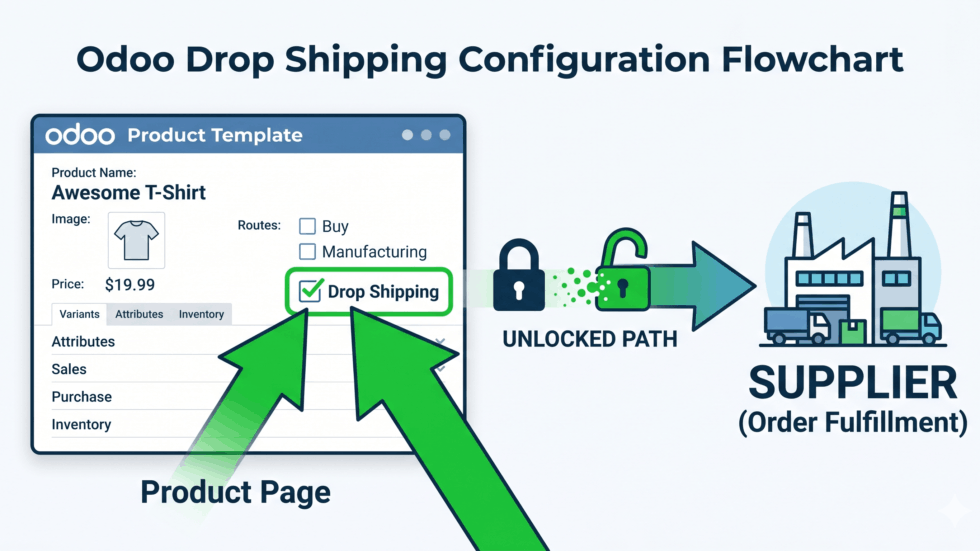
To make your drop shipping business work smoothly like a well-oiled machine, you need a smart system that understands your plan. Odoo accomplishes this beautifully through a feature called a drop shipping route. In the software world, a route is a pre-set digital instruction rule that tells the computer exactly how an item should move from its origin to its final destination.
Setting up this rule in Odoo is a joyful and simple task. You do not need to be a technology expert or write confusing computer code. You simply open your product page inside Odoo and check a small box labeled “Drop Shipping.” This simple action activates a brilliant chain reaction inside the software network.
Now, Odoo knows exactly what to do when an order arrives from a buyer. It will not look for the item inside your own empty warehouse files. Instead, it instantly recognizes that this specific product belongs to an external factory partner. This smart rule links your sales team directly with your buying team automatically.
Bright Tip: You can activate or turn off the drop shipping route for individual items at any time. This gives you total control over which goods you store locally and which goods you route directly to global factories.
The configuration is completely permanent, meaning you only have to click the button once. After that, the software remembers your preference forever. This intelligent design allows your daily business to run completely on autopilot, giving you total peace of mind.
3. Smooth Communication and Automated Purchase Requests
In an old-fashioned business setup, receiving an order meant doing hours of tedious typing work. You had to copy the customer’s home address manually. Then, you had to draft a brand new purchase note to your supplier and send it over email. This repetitive process was very slow and often led to spelling mistakes. Odoo completely removes this boring chore through automated document generation. This phrase means that the computer software instantly creates fresh business papers on its own based on actions taken by your users.
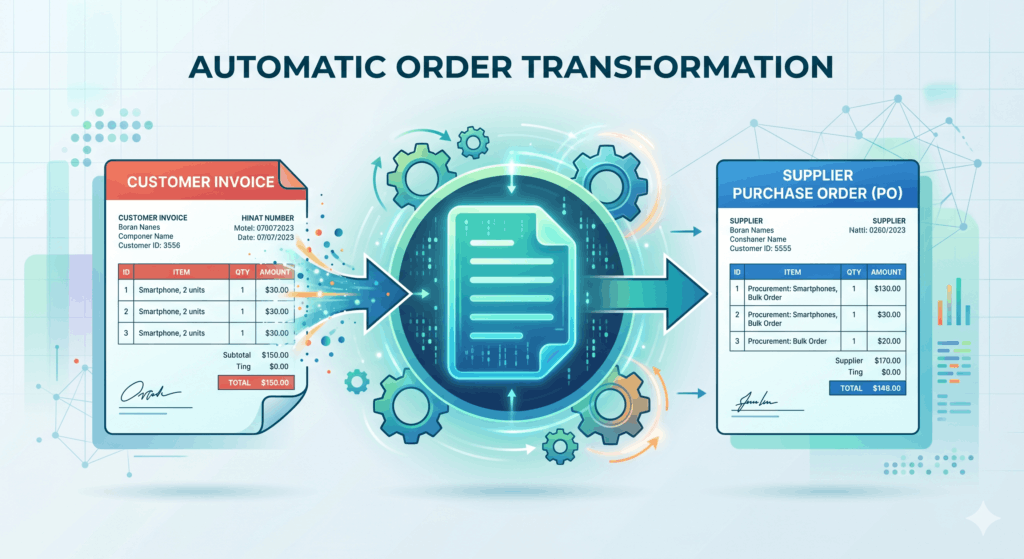
Let us look at how this wonderful automation works in real-life. When a customer visits your online store and purchases a beautiful item, Odoo springs into action instantly. The system takes the buyer’s product choices and home address details. It immediately creates a new document called a Purchase Request. This term means a digital document that officially asks your global supplier to provide the goods for your client.
This request is built flawlessly in a single microsecond. Odoo fills in the supplier’s name, the wholesale price, and the precise delivery address automatically. Your team does not need to copy or paste a single line of data. This incredible integration prevents human errors completely. It speeds up your business operations immensely, ensuring your international factory partners receive perfect instructions right away so they can ship your orders faster.
- Customer buys an item on your online storefront.
- Odoo generates a flawless purchase request instantly.
- The supplier receives accurate details without any human data entry.
4. Tracking Shipments and Keeping Customers Happy
When you run a drop shipping business, you never see the physical products yourself. Because of this, you might worry about how to monitor the delivery process. Odoo solves this issue completely by offering a clear system for tracking your delivery status. This phrase means the real-time live update that shows exactly where a package is located during its travel journey.
When your international supplier finishes packing the item, they ship it out using a global courier service. They upload the live tracking number into their system. Odoo retrieves this tracking information instantly through its connected data network.
The software updates your main dashboard automatically. You can see a bright, happy status bar that changes color as the box moves across the ocean, passes through customs borders, and arrives at the customer’s house.
Even better, Odoo sends a beautiful automated email to your client. This message contains the live tracking link so they can watch their package arrive with excitement. This transparent sharing builds immense trust with your clients. It eliminates customer service questions completely, because your buyers always know exactly when their beautiful order will arrive at their doorstep.

5. Low Costs and Maximizing Your Retail Profit
The greatest benefit of utilizing Odoo for drop shipping is the amazing financial freedom it brings to your life. Because you do not need to own a physical warehouse or buy massive stocks of inventory in advance, your company has incredibly low overhead costs. This term means the regular, ongoing expenses required to run a business, such as building rent, electricity bills, and warehouse worker salaries.
Minimizing these extra bills allows your business to maintain an excellent profit margin. This phrase means the amount of money your company keeps as pure profit after subtracting the cost of buying the item from your supplier.
Odoo displays these financial numbers beautifully on your visual screen. You can clearly see the retail price your customer paid, the wholesale price your supplier charged, and your clean profit remaining in the middle. Because the platform automates almost all the repetitive paperwork, you do not need to hire a large team of office assistants. A single person can manage a massive global trade network easily. This unmatched efficiency keeps your business lightweight, highly profitable, and completely joyful to operate for many successful years to come.
| Business Cost | Traditional Retail Business | Odoo Drop Shipping Business |
| Storage Rent | Very High Monthly Fee | $0.00 (No Warehouse Needed) |
| Advance Stock | Expensive Upfront Cost | $0.00 (Buy Only After You Sell) |
| Manual Labor | Needs Many Workers | Super Low (Automated by Odoo) |

Why Your Business Needs Odoo to Grow Today
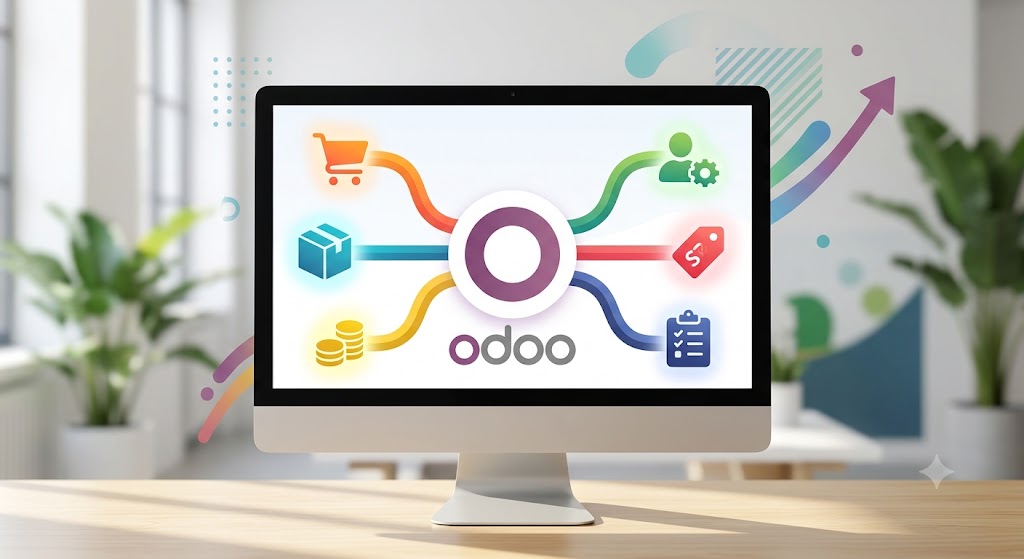
1. Bringing All Your Moving Parts Into One Screen
Running a business involves managing many separate moving parts every single day. You have sales teams talking to clients, warehouse workers counting products, and accountants tracking money. In many traditional companies, each department uses a completely different computer tool. This fragmentation creates a very frustrating problem called Data Silos. This phrase means separate computer programs or storage areas that cannot communicate or share information with each other.
Odoo removes this barrier completely. It introduces a Centralized Database to your business. This term means a single shared digital filing cabinet where all your company information lives together safely in one place. With Odoo, every department looks at the exact same data. When a sales representative clicks a button to confirm a new order, the system updates the warehouse records and the accounting notebooks at the exact same microsecond.
No one has to send internal emails or make phone calls to pass information along. This unity creates an incredibly smooth workflow. It eliminates human communication mistakes entirely and keeps your whole team perfectly aligned. By bringing all your business activities under one roof, you save hours of lost time and gain total clarity over your daily operations.
- Sales Team: Sees accurate stock levels instantly before talking to customers.
- Warehouse Team: Receives packing orders the moment a sale is confirmed.
- Accounting Team: Views incoming bills automatically without manual data entry.
2. Saving Precious Time With Smart Automation
Spending your precious business hours doing repetitive typing tasks is exhausting. It drains your personal energy and slows down your company growth. Odoo gives you your time back through Software Automation. This phrase means setting up a computer program to perform routine business tasks automatically without needing any human help.
In an old-fashioned system, an employee has to copy information from an email, paste it into an invoice, create a shipping label on a separate website, and then type a message to the customer. Odoo transforms this entire chore into a single, beautiful moment. The instant a customer pays for an item on your online store, Odoo automatically writes the invoice, updates your inventory count, generates the shipping label, and sends a warm thank-you email to the buyer.
This automated safety net protects your business from typo errors. It allows your staff to stop doing boring, repetitive tasks. Instead, your team can spend their valuable hours focusing on creative marketing ideas, developing excellent new products, and building deep relationships with your community.
| Manual Business Task | How Odoo Automates It | Time Saved Every Day |
| Writing Customer Invoices | Generates them instantly upon payment | Hours of manual typing |
| Updating Inventory Counts | Lowers stock numbers automatically | Zero counting mistakes |
| Sending Tracking Emails | Ships delivery links to buyers instantly | Removes customer anxiety |

3. Making Better Decisions Using Clear Reports
To lead your company toward absolute success, you cannot rely on simple guesswork. You need to know exactly how your business is performing at all times. To do this, you must look at your Business Metrics. This phrase means standard, objective measurements that track the financial health, sales progress, and operational success of a company.
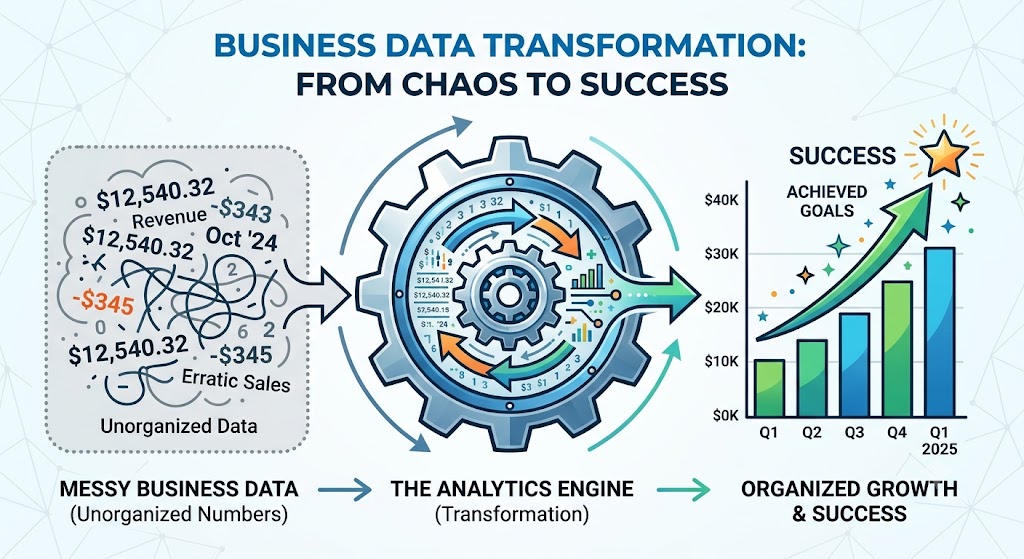
Odoo compiles these complicated numbers and displays them beautifully on Visual Dashboards. This term means a clean, interactive computer screen that presents important business data using colorful charts, bars, and graphs. You do not need to scroll through long, confusing rows of black-and-white spreadsheets anymore.
The moment you open your Odoo dashboard, you see a bright financial summary. The software highlights your highest-selling items, your most profitable months, and your daily expense patterns using easy-to-read visuals. This instant clarity helps you make smart, confident choices. If you notice a specific product is selling incredibly fast, you can buy more stock immediately before you run out. If a certain expense is growing too high, you can fix it right away. Odoo turns your business data into a friendly guide that illuminates your path to expansion.
[Raw Sales Data] ---> [Odoo Analytics Engine] ---> [Beautiful Visual Charts]
                                                            |
                                                            +---> High Profits
                                                            +---> Clear Trends
                                                            +---> Smart Decisions
4. Growing Easily Without Massive Software Costs
Many business owners worry that upgrading their company technology will cost a fortune. They fear being forced to buy a massive, heavy system filled with complicated features they do not need yet. Odoo removes this financial fear completely through Modular Software. This phrase means a computer system built out of separate blocks or individual applications that you can add one by one over time.
When you first launch your business, you can install just one single block, such as the Sales application. You only pay for what you actually use. As your company achieves success and expands, you can easily plug in new blocks, like Manufacturing, Human Resources, or Website Building. Every new application hooks into your existing system perfectly with zero configuration effort.
This flexible block system offers incredible Scalability. This word means the smooth ability of a business to grow much larger without being slowed down or stopped by its software tools. Odoo grows alongside you at your exact personal pace. It ensures you always have the perfect tools for your current size, saving your capital so you can invest your money where it matters most.
- Phase 1 (Startup): Install the basic Sales and Invoicing blocks.
- Phase 2 (Growth): Add Inventory tracking and an Online Store easily.
- Phase 3 (Enterprise): Plug in Manufacturing and Global Accounting tools.

5. Creating Happier Teams and Delighted Customers
A truly successful and sustainable company relies entirely on happy people. This includes your hard-working internal staff and your loyal external buyers. Odoo focuses deeply on improving the User Experience. This phrase means how easy, pleasant, clear, and friendly a computer program feels when a person interacts with it daily.
Because Odoo is designed with bright colors, clear buttons, and an intuitive layout, your employees can learn to use it within minutes. They face far less daily technology frustration, which boosts their workplace morale and keeps their energy high. When your internal team has excellent tools, they work together in complete harmony.
This positive internal energy transfers directly to your customers. Because your software handles the messy background work flawlessly, your clients receive a world-class experience. Their delivery boxes arrive early, their digital invoices are always completely accurate, and their service questions are answered in record time. Happy employees and delighted buyers are the ultimate secret to business growth. Odoo creates this beautiful cycle of satisfaction easily, turning your daily business operations into a joyful journey of shared success.
- Less Frustration: Simple screens keep your workers smiling and productive.
- Faster Service: Automated systems deliver products to clients quickly.
- Total Accuracy: Flawless records build immense trust with your market.