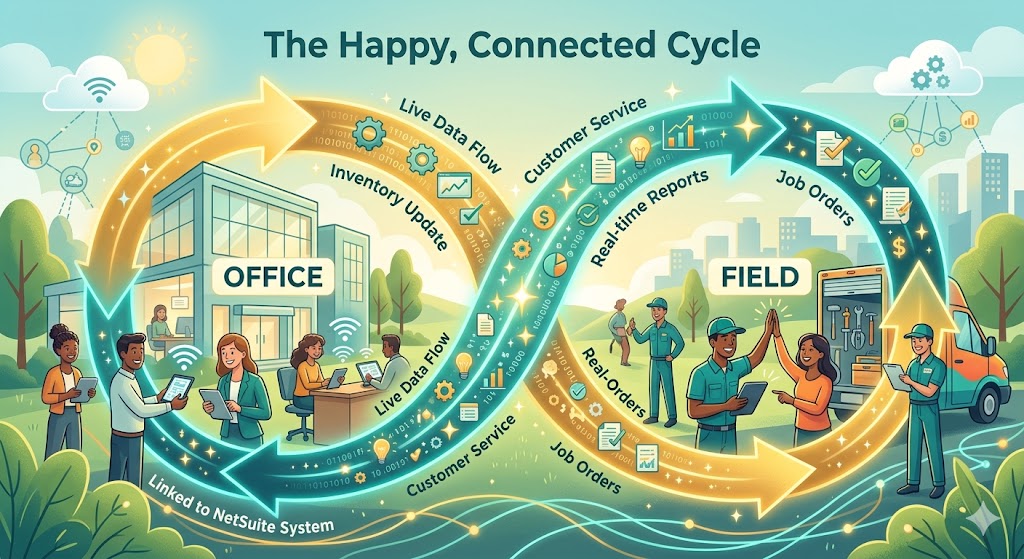
Imagine managing a busy team that works out in the field—like delivering goods, fixing equipment, or checking inventory. You already use NetSuite, which is an amazing business software for your office computers. But when your team leaves the office, they lose that connection. They end up writing notes on paper or trying to use a confusing screen on their phones.
This article will show you how to fix that. By finding the right mobile app, you can unlock the full power of NetSuite directly on the job site. It keeps your data clean, your team happy, and your business moving fast.
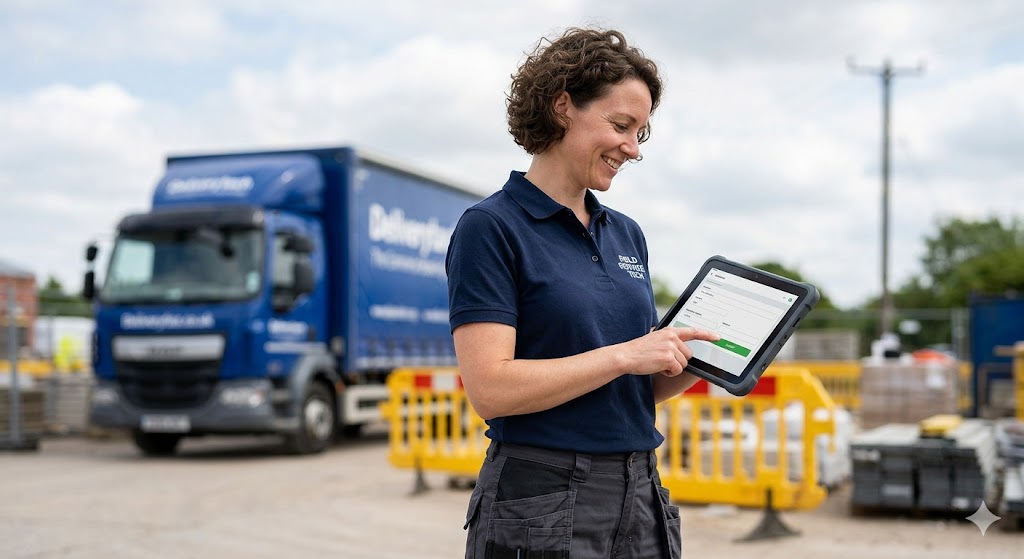
The Reality Check: Office vs. Field
Here is a quick look at why standard office setups fail on the road, and what changes when you use a dedicated field app:
| Working in the Office | Working in the Field (Without an App) | Working with a NetSuite Field App |
| Large screens and fast internet | Small phone screens or no internet | Clean, simple screens built for mobile |
| Easy typing with a keyboard | Messy paper notes and lost pens | Fast data entry with taps and scans |
| Instant updates for the company | Hours of delay before data gets entered | Real-time updates back to the office |
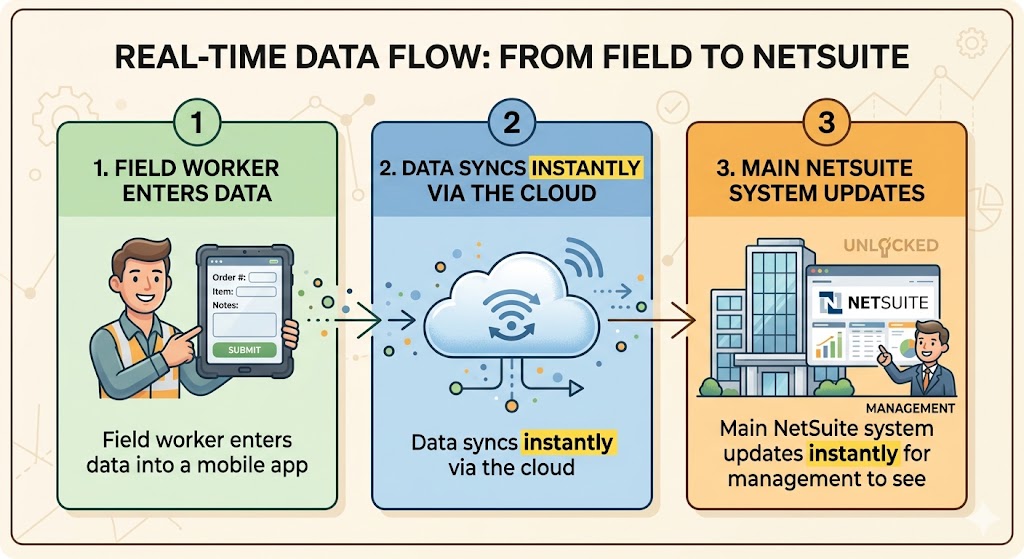
By bridging this gap, you stop treating field data entry like an afterthought and start using it as your secret weapon for growth. Let’s look at how this changes your day-to-day operations.
Why Moving NetSuite to the Field Changes Everything
1. Bringing the Office to the Outside World
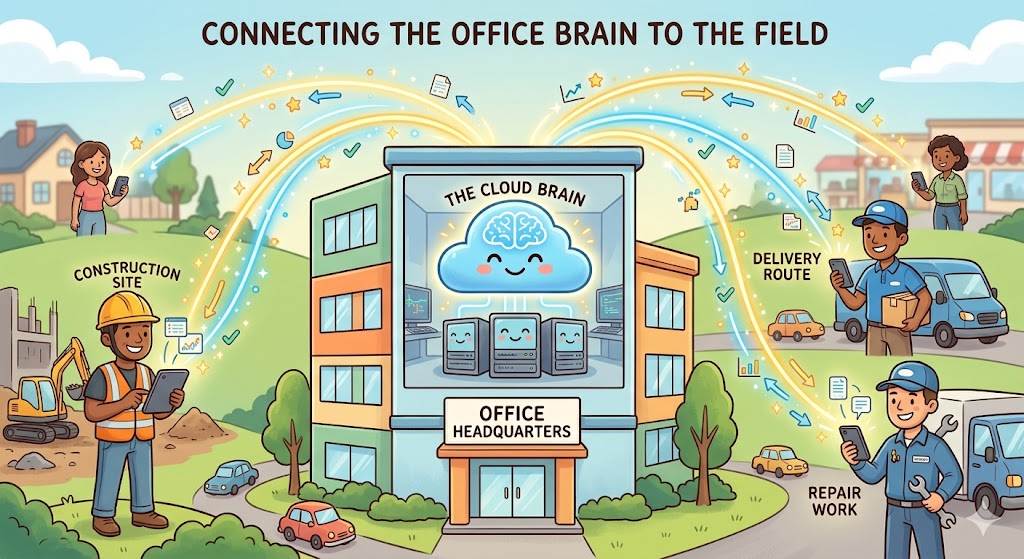
NetSuite is the main brain of your company. It is a central computer system that holds all your business information in one safe place. Usually, this brain stays inside the office building on big desktop computers. But a lot of your important business happens outside the office walls. We call this area the “field.” The field means any place where your employees do their jobs away from the main office. This includes places like customer homes, repair shops, delivery roads, or building sites.
When you move NetSuite out into the field, you connect these two worlds together perfectly. Your workers outside can see the same exact information as the managers inside the office. They do not have to guess about item numbers or prices anymore. They have all the facts right in front of them on their mobile devices. This removes the wall between the office and the outside world. It is a beautiful way to make everyday tasks feel smooth and simple for everyone. Managers can see what is happening outside instantly, and field workers feel like they are truly part of the main team.
- Office workers stay updated without making phone calls.
- Field workers get instant answers to do their jobs.
- Everyone shares the same accurate data at the same time.
2. Giving Power to Your Workers on the Move
When workers leave the office without a good mobile tool, their jobs become much harder. They have to carry heavy clipboards, look at messy papers, and try to remember a lot of rules. This can make them feel stressed and tired. But when you give them a simple NetSuite app on their phone or tablet, everything changes for the better. Suddenly, they feel powerful and confident. They can open the app and find answers in just two quick taps.
We call this “employee empowerment.” This means giving your team the right tools and information so they can make great choices on their own. When workers have this power, they do not need to call the office every ten minutes to ask for help. They can check customer histories, look at job guides, and type in new notes immediately. This independent way of working builds a lot of pride. Your team will enjoy their jobs much more because they have the tools to succeed. Happy workers always do better work, and they stay with your company much longer.

- Fewer phone calls back to the office for basic information.
- Fewer errors because workers do not rely on memory alone.
- More pride and joy in daily tasks on the job site.
3. Making Customers Happier in Real-Time
To understand this wonderful benefit, we need to talk about “real-time” action. Real-time means that something happens right now, with zero waiting or delays. When your field worker enters data into the app, the office sees it at that exact second. This incredible speed has a huge positive effect on your customers.
Imagine a worker finishes fixing an appliance at a customer’s house. With an old system, the customer would have to wait days to get an email receipt. But with a NetSuite field app, the worker taps “Complete” on their screen. The system instantly sends a beautiful, clean receipt to the customer’s email before the worker even walks out the door. This fast service makes customers feel safe and valued. It builds deep trust between them and your business. Customers love clarity and speed. When you give them answers right away, they will want to work with you again and again. It turns a standard service visit into a wonderful experience that people will praise.
| Service Feature | The Old Way (Without an App) | The New Way (With a Field App) |
| Receipt Time | Sent after a few days by email | Sent instantly to the client’s inbox |
| Data Accuracy | High chance of paper getting lost | Safe and securely saved in the system |
| Customer Trust | Low because of long waiting times | High because of fast, open communication |
4. Turning Waste Into Useful Work Hours
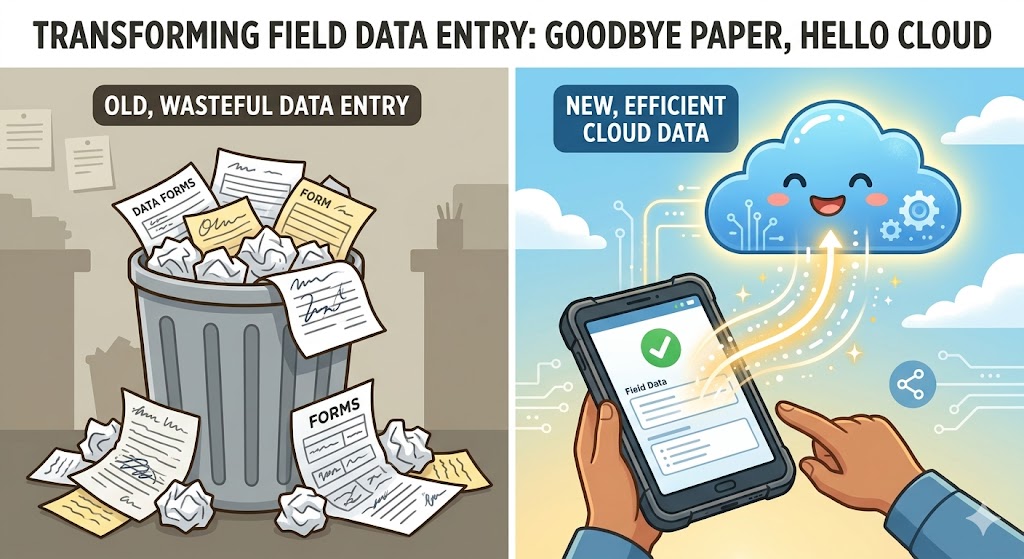
In many traditional businesses, workers waste a lot of time on “double data entry.” This phrase means typing the exact same piece of information two times. First, the worker writes the information down on a piece of paper while they are out in the field. Then, at the end of the day, they drive back to the office. They sit down at a desk and type that same handwritten information into the office computer. This is a big waste of energy. It is also very boring for the worker.
When you take NetSuite directly to the field, you eliminate this waste completely. The worker enters the information only once while they are on-site. The data flows safely into the main system through the “internet cloud.” The internet cloud is simply a secure way to send information across the air using the internet, without any physical wires. Because you save all this time, your workers can use those extra hours for better things. They can visit more customers, finish more repairs, or take a well-deserved break. This keeps your business efficient and highly productive.
- Write it once and never worry about re-typing it later.
- Save driving time because workers do not need to drop off paper forms.
- Stop losing data from messy handwriting or spilled coffee.
5. A Simple Way to Help Your Business Grow
When your field data is clean and fast, your whole business gains a huge advantage. Managers can look at their office screens and see beautiful charts that show exactly how the business is doing today. They do not have to wait until the end of the month to see financial reports. They can see their success right now.
This clear view allows business leaders to make very smart choices. They can see which services are popular and which areas need more help. This creates a clear path for positive growth. A growing business is a healthy business that can offer better opportunities to everyone on the team. By simply changing how you collect data outside, you lift up the entire company. You remove mistakes, save money, and create a modern workplace that people love to be a part of. Taking NetSuite to the field is not just about technology. It is a powerful stepping stone toward a bright, happy, and highly successful future for your enterprise.
- Better decisions based on live facts instead of old guesses.
- Faster billing which keeps cash flowing into the business smoothly.
- Happier teams that enjoy using modern tools to reach their goals.
The Big Problems with Old-School Data Entry
1. The Hidden Costs of Using Paper Forms
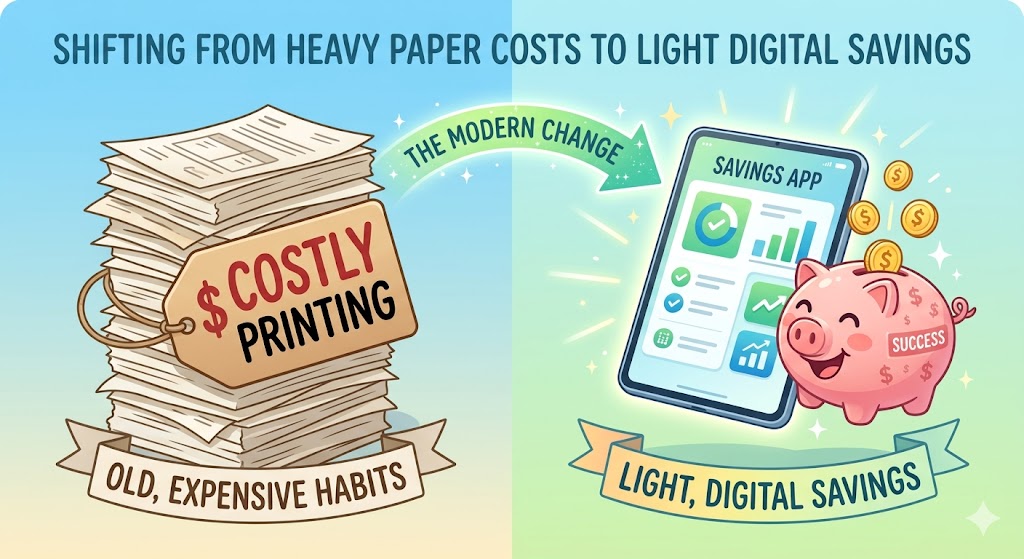
Many traditional businesses still use paper forms for their outdoor workers. At first glance, a piece of paper seems completely free and easy to use. However, paper creates what we call “hidden costs.” Hidden costs are extra expenses that you do not see right away, but you still have to pay over time. When you add up the price of printing thousands of sheets, buying ink, and renting storage boxes, the numbers grow very large.
Furthermore, the biggest hidden cost is actually spent time. Workers have to spend valuable minutes organizing pages, searching for lost clipboards, and protecting sheets from wind or rain. This takes their focus away from doing their best work.
The wonderful news is that recognizing these hidden costs is the first step toward a much better future. By understanding where your money and time are fading away, you can make a bright change. Moving away from heavy paper forms opens up beautiful savings for your company. It allows you to invest your hard-earned money back into your team and your tools. A clean workspace without paper piles makes everyone feel lighter and more organized every single day.
- Printing and paper materials cost a lot of money over time.
- Storage space fills up quickly with heavy, dusty files.
- Searching through physical boxes wastes precious hours.
2. How Lost Information Impacts Your Daily Workflow
When your data lives on physical sheets of paper, it is always in danger of getting lost. A paper can easily fly out of a truck window, get ruined by a spilled drink, or simply slide under a car seat. When this happens, a business faces problems with its “workflow.” Workflow is a simple word that means the step-by-step path that a piece of work takes from the very start to the absolute finish.
If a field worker loses a single service form, that smooth path breaks completely. The office does not know the job is done. The billing team cannot send an invoice. The whole company has to pause and ask questions. This can make your hard-working employees feel confused and frustrated.
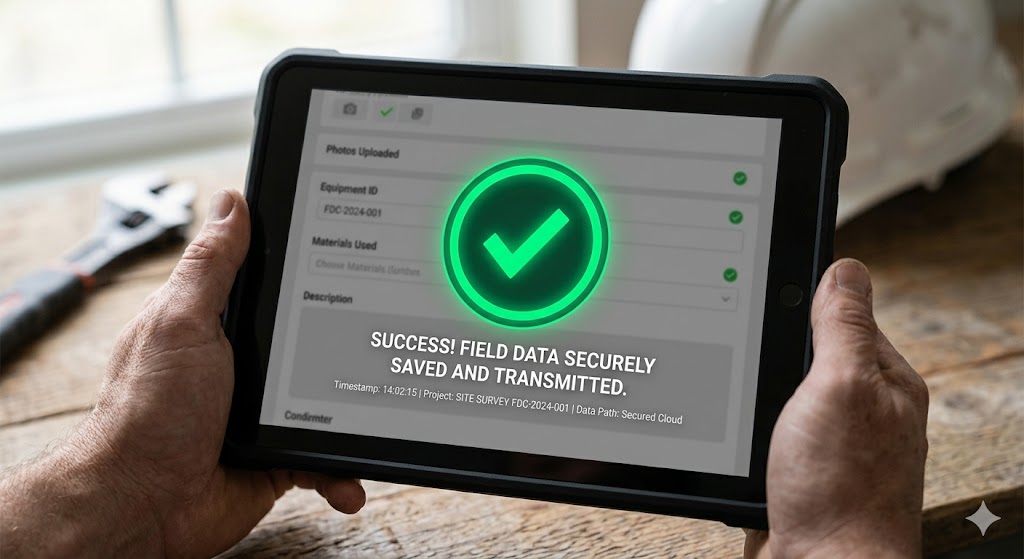
Thankfully, this common challenge is very easy to solve. When we protect this step-by-step path using digital safety tools, work becomes a joyful breeze for everyone. Information stays exactly where it belongs, and it never drops out of sight. Your team can move from one task to the next with complete peace of mind. Knowing that their valuable work is safely recorded helps everyone stay relaxed, motivated, and highly focused on delivering great results.
- Clear steps help tasks finish much faster and smoother.
- Secure files give your field team complete peace of mind.
- Smooth paths remove daily stress from the main office.
3. The Challenge of Slow Communication and Delays
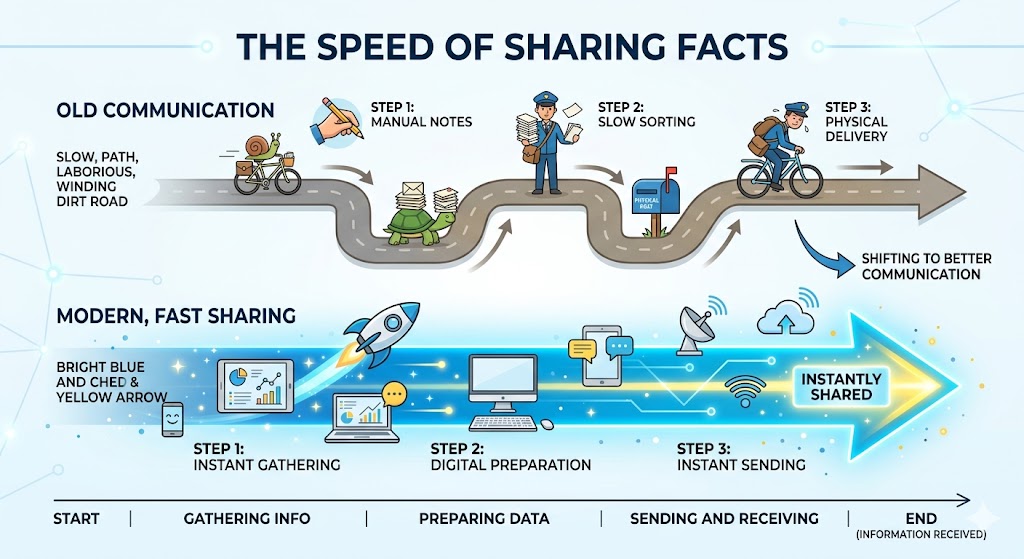
In an old-school business setup, information moves very slowly. A field worker might collect great customer notes on Monday, but they do not return to the main office until Friday. This causes a long delay in “communication.” Communication simply means the act of sharing information between different people, teams, or computer systems.
When communication is slow, your office team is essentially working in the dark. They have to guess about inventory levels, project statuses, and customer needs. This delay makes it very difficult to give fast answers to clients who call in with questions. It can make your team feel separated from each other.
However, looking at this delay shows us an amazing opportunity to improve. Speeding up how we talk to each other makes the entire company feel deeply connected. When you bring your systems up to speed, you remove the heavy weight of waiting. Your office team can celebrate quick victories because they see progress happening live. Fast answers create a happy workplace where everyone feels energized and ready to support each other. It builds a beautiful sense of unity across the whole business.
Let’s look at how communication changes for the better:
| Communication Type | The Old Way | The Better Way |
| Information Speed | Takes several days | Happens right now |
| Office Knowledge | Waiting and guessing | Seeing live progress |
| Team Spirit | Feeling disconnected | Feeling fully supported |
4. Why Human Errors Are a Normal Part of Hand Writing
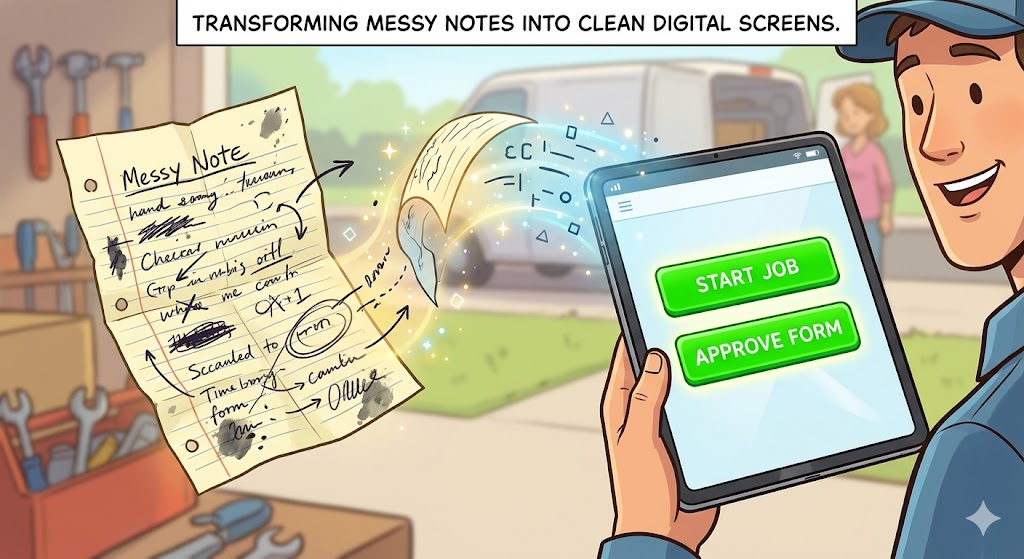
Writing things down by hand while standing up at a busy job site is tough. It is very common for handwriting to become messy when a worker is moving fast. Later, the office staff might misread a number or a name. This situation leads to “human errors.” Human errors are just normal, honest mistakes that any good person makes when they are tired, rushing, or working in a busy area.
These small mistakes are not the fault of your employees. The real issue is the old-school tool they are forced to use. Misreading a single digit can lead to shipping the wrong product or billing the wrong amount. This creates extra work because the team has to spend hours fixing the mistake.
The beautiful part of this situation is that we can easily protect our teams from making these normal mistakes. By replacing pens with smart, clear mobile screens, we give our workers a helping hand. A good application lets them tap clear buttons or select items from a simple drop-down menu. This keeps the data perfectly clean and accurate from the start. Protecting your team from errors builds their workplace confidence and ensures that their excellent field work shines brightly without any flaws.
- Tap menus prevent typing mistakes before they happen.
- Clear digital text is easily readable by every team member.
- Clean entries save hours of stressful fixing at night.
5. Turning These Challenges Into Bright Success Stories
Every single problem we have discussed so far is actually a hidden seed for your future success. When you look at old-school data entry issues, you are looking at an invitation to upgrade your daily operations. Overcoming these challenges allows your company to achieve high “efficiency.” Efficiency means doing a job perfectly and smoothly without wasting any valuable time, energy, or money.
When you replace old habits with modern tools, you clear away the roadblocks holding your team back. Your field workers no longer worry about lost papers or messy handwriting. Your office staff stops spending hours re-typing numbers or waiting for files to arrive. Everyone wins, and the entire business breathes a sigh of relief.
Embracing this positive change turns old daily frustrations into amazing stepping stones for your company’s growth. It creates a modern, supportive workplace where technology works for the people. By leaving old-school data entry behind, you open up a wonderful new chapter. This chapter is filled with accurate records, happy employees, and thrilled customers. Your business will grow stronger, faster, and more unified than ever before.
- Modern tools create a highly supportive workspace for everyone.
- Clean data helps your business grow with complete confidence.

What Makes a NetSuite Mobile App Great?
1. A Simple and Clean Screen for Easy Tapping
Before you choose a software program for your team, you must look closely at its screen design. A great mobile application always uses a smart User Layout. User layout means the specific way that buttons, pictures, list items, and text are arranged on your physical phone screen. A good layout is absolutely vital because field workers are often moving around, walking outside, or wearing thick work gloves. They do not have time to squint at tiny words or struggle to press small links.
A great NetSuite field app keeps its design beautiful, spacious, and clean. It features large, colorful buttons that are incredibly easy to see even under the bright glare of the afternoon sun. The words on the screen are always short and direct. Your workers can finish their data entry tasks with just a few quick taps of their thumbs.
This clear approach makes learning how to use the application a joyful experience for everyone. New employees can master the system in just a few minutes without attending long, boring training classes. When software feels this simple, your people will truly love using it every single day. It removes daily workplace frustration and replaces it with a wonderful feeling of pride and quick success.
- Large buttons prevent accidental clicks on the wrong options.
- Bright contrast makes screens easy to read in outdoor locations.
- Clear menus guide workers step-by-step through their daily routines.

2. Working Perfectly Without the Internet
Field workers often have to travel to remote locations to do their jobs. They visit deep concrete basements, quiet rural roads, or large metal warehouses where internet signals disappear completely. Because of this, a great mobile application must include a strong Offline Mode. Offline mode is the special ability of a mobile software program to keep working normally and saving information even when your device has zero connection to the internet.
Without this wonderful feature, an ordinary application becomes completely useless the moment a signal drops out. Your workers would have to stop what they are doing and wait around until their phones find a network connection again.
But a truly great NetSuite app saves all of your worker’s data safely inside the device’s internal memory. The employee can keep typing notes, selecting customer parts, and completing their forms without any annoying interruptions. The app acts like a loyal, steady helper that never stops working. This reliable feature gives your field team absolute confidence on the road. They know they can successfully complete their daily duties anywhere at any time. It keeps your business data flowing steadily and beautifully without any costly pauses.
| When Internet Drops | An Ordinary App | A Great Field App |
| Screen State | Freezes and shows error text | Stays completely open and active |
| Your Valuable Data | Gets deleted or lost forever | Saves safely on the phone memory |
| Work Progress | Stops until the signal returns | Continues smoothly without stopping |
3. Fast Tools for Snapping Photos and Scanning
Writing down long numbers or typing complex descriptions on a tiny mobile keyboard can take up a lot of time. That is why a great field application uses the power of Device Integration. Device integration means making a software program talk directly and easily to the physical parts of your smartphone, such as the built-in camera or the location tracker.
By using this smart technology, your field team can gather data with amazing speed. Instead of manually typing a twenty-digit serial number, a worker can simply point the phone camera at a barcode. The app scans the code instantly and fills in the correct NetSuite product information automatically.
If a machine part is broken, the worker does not have to explain the damage using a long paragraph of words. They can just snap a quick photo directly inside the application. The image attaches itself to the customer file in less than a second. This modern approach makes documentation feel easy and fun. It turns a long, boring chore into a swift action that takes only a moment. Your business records become much richer, clearer, and more helpful for your entire organization.
- Barcode scanning identifies inventory items in less than a second.
- Quick photo uploads show office managers visual proof of beautiful work.
- Digital signatures let clients sign their names with a single finger tap.
4. True Synchronisation with the Main System
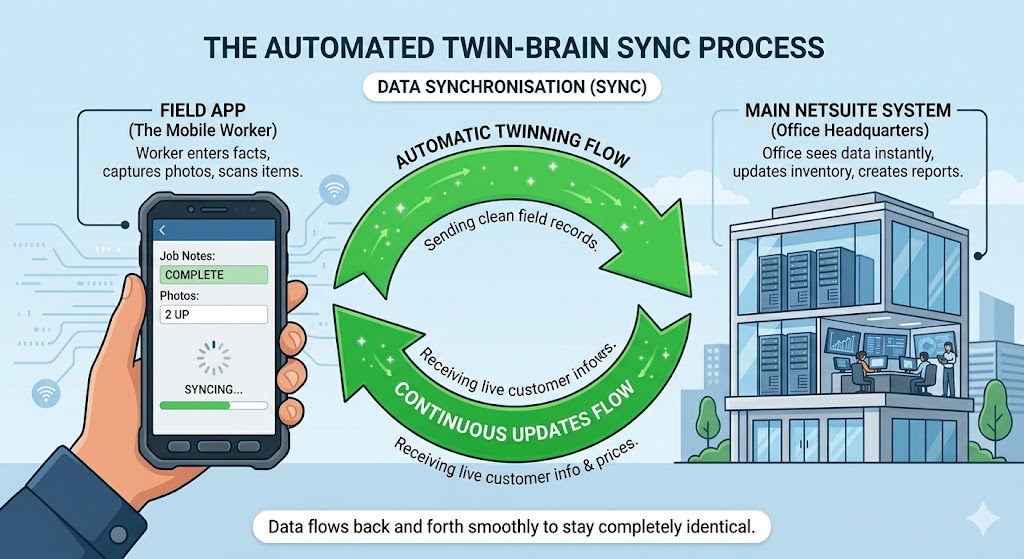
Gathering clean records out on the job site is only the first step. That fresh data must travel safely back to your main company computers. To achieve this goal smoothly, an excellent application relies on Data Synchronisation, or “syncing” for short. Data synchronisation is the automatic process of making two different computer systems share information so that their files match each other perfectly.
A great NetSuite field application handles this sharing process quietly in the background without bothering your worker at all. The very moment your mobile device connects to a network signal, the app sends all the new field notes straight to your main office system.
At the exact same time, it pulls down new updates from headquarters, such as updated customer addresses or new price listings. This double-sided sharing ensures that your field app and your office computer behave like a pair of perfectly matched twin brains. There is never any lag, confusion, or need to press a manual refresh button. It creates a beautiful harmony that helps your entire company operate as one single, highly unified team.
5. Keeping Your Business Information Safe and Sound
Your customer names, phone numbers, and private company prices are highly valuable assets. If a field employee accidentally misplaces their tablet at a busy coffee shop, you must be completely certain that your company information remains protected. Therefore, an outstanding application must include top-tier Data Encryption. Data encryption is a smart security method that scrambles important information into a secret code so that unauthorized people cannot read it without a private digital key.
With this excellent safety feature in place, your business information is guarded by an invisible, unbreakable shield. Even if a physical smartphone is lost or stolen on the road, nobody can view your private NetSuite files.
The mobile application keeps everything locked away safely until the correct worker logs in using their unique password or a quick fingerprint check. This high level of digital protection brings immense relief to business owners. You can sleep peacefully at night knowing that your company reputation and your clients’ private records are totally secure. It allows you to expand your mobile workforce with a happy, confident, and completely worry-free mind.
- Secure logins keep strangers completely locked out of the app.
- Remote erasing allows managers to delete data if a phone goes missing.
- High-level safety lets you focus entirely on serving your clients beautifully.
How Your Team Saves Time and Works Faster
1. Cutting Out the Driving and Dropping Off Routine
In the past, outdoor workers had to finish their physical tasks on-site and then start a whole new chore. They had to get into their service trucks and drive all the way back to the main office building. They did this just to drop off a stack of paper forms at the front desk. This daily travel routine wastes a lot of fuel, subjects workers to stressful traffic, and takes away hours that could be spent helping more people.
When you give your team a mobile NetSuite tool, you completely eliminate this extra driving step. The very second a worker finishes a job, they send the information through the air using their device. They can immediately drive to their next customer location or head home to relax with their families. This smart adjustment creates what we call Route Efficiency. Route efficiency simply means planning your work travel so that you spend less time driving and more time doing useful tasks.
By removing the need to drop off physical paperwork, your field team saves hours of travel every single week. This extra time makes their workdays feel much calmer and more rewarding. They can focus on doing a beautiful job for your clients instead of rushing through traffic to beat the clock before the office doors close for the evening.
- Fuel Savings: Workers save on fuel costs every single day.
- Vehicle Care: Wear and tear on company trucks goes down significantly.
- Energy Boost: Team members feel more energetic and less tired at the end of the shift.

2. Speeding Up Payments with Quick Invoicing
A business needs money to move around quickly so it can pay its workers, buy new materials, and grow. This healthy movement of money is called Cash Flow. Cash flow is a friendly business term that means the steady stream of cash that enters your company from happy customers and leaves your company to pay for your daily expenses. When your field data entry is slow, your cash flow slows down too.
With old paper systems, a bill cannot be sent to a customer until the paper form physically arrives at the office, gets read by a manager, and gets typed into the main computer system. This long process can take up to two weeks. That means your company is waiting a very long time to receive its hard-earned money.
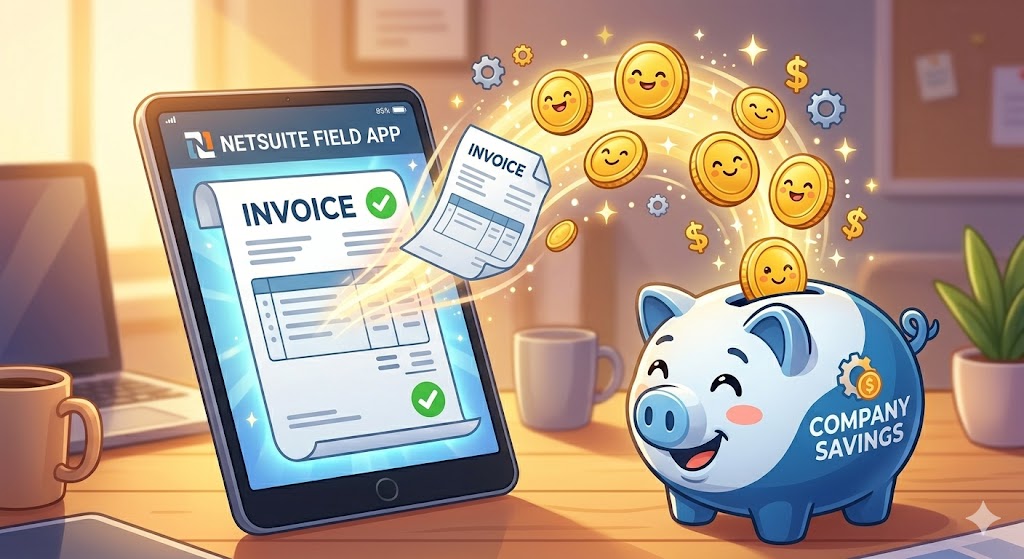
When you take NetSuite out into the field, you unlock the magic of instant billing. The moment your worker clicks the completion button on their tablet, the system generates a clear digital bill. The office can review it and send it to the client’s email address in minutes. This fast action helps your business collect payments much quicker than ever before. Your customers love the speed because it keeps their own records clear. Your company benefits immensely because you always have funds ready to invest back into making your team stronger.
| Billing Method | Time to Send Bill | Customer Feedback |
| Paper Delivery | 5 to 10 Days | Confused by the long delay |
| Field App Sync | Less than 10 Minutes | Thrilled by the fast service |
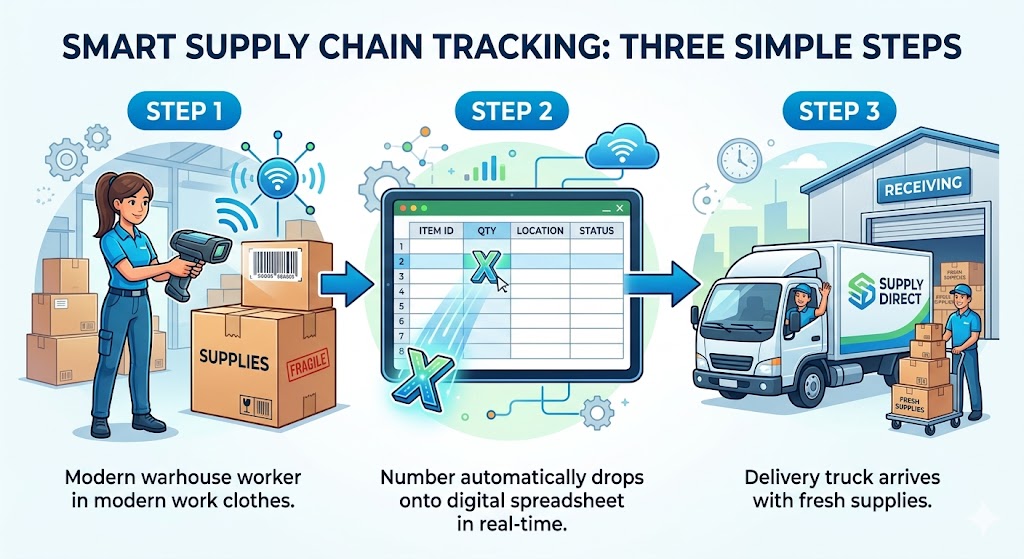
3. Managing Your Warehouse and Stock Levels Instantly
Every service truck and office warehouse holds a lot of valuable supplies, like pipes, wires, or electronic parts. Keeping track of these items is called Inventory Control. Inventory control is a simple phrase that means knowing exactly how many products or spare parts your company has in its storage rooms at this exact moment.
When field workers use old-school paper forms, they might take a spare part from their truck box and forget to write it down. This causes a lot of confusion. The office might think they have ten parts left, but in reality, the shelves are completely empty. This mistake leads to delays because you have to wait for new shipments to arrive.
A great NetSuite field app solves this puzzle beautifully. When a worker removes a part to fix a machine, they simply scan the item with their phone. The application automatically subtracts that single item from the company’s master record. This live update allows your office buying team to order new supplies before you ever run out. Your field workers will never drive to a job site only to realize they are missing the vital tool they need to succeed. It keeps your stock rooms perfectly balanced and saves hours spent on manual counting.
- Total Accuracy: Stock numbers stay one hundred percent correct all day long.
- Smart Ordering: Buying teams know exactly when to order new supplies.
- Full Preparation: Workers always have the correct tools inside their vans.
4. Passing the Torch to the Next Shift Smoothly
In many busy industries, teams work in rotating schedules. One group of workers handles the morning tasks, and another group takes over for the evening. Passing the project details between these groups is called a Shift Handover. Shift handover is the friendly process of sharing notes, progress reports, and remaining tasks from a worker who is finishing their workday to a teammate who is just arriving to start theirs.
When notes are written on loose scraps of paper or left as spoken words, important details easily slip through the cracks. The evening worker might waste an hour trying to figure out what the morning worker already finished. This double work slows down the entire project and frustrates your team.
By taking NetSuite directly to the field site, this transition becomes completely seamless and joyful. The morning worker logs their progress into the app before they leave. The evening worker opens their own screen and instantly reads a clear, beautiful summary of what was done. There is zero guessing, zero wasted time, and no need to make frantic phone calls during dinner hours. This smooth sharing of information builds strong bonds of teamwork and trust. It allows your projects to move forward continuously like a well-oiled machine.
- Stay Informed: Teammates stay perfectly informed without meeting in person.
- No Double Work: No tasks are accidentally completed twice by different workers.
- Met Deadlines: Project timelines stay short and goals are met with celebration.
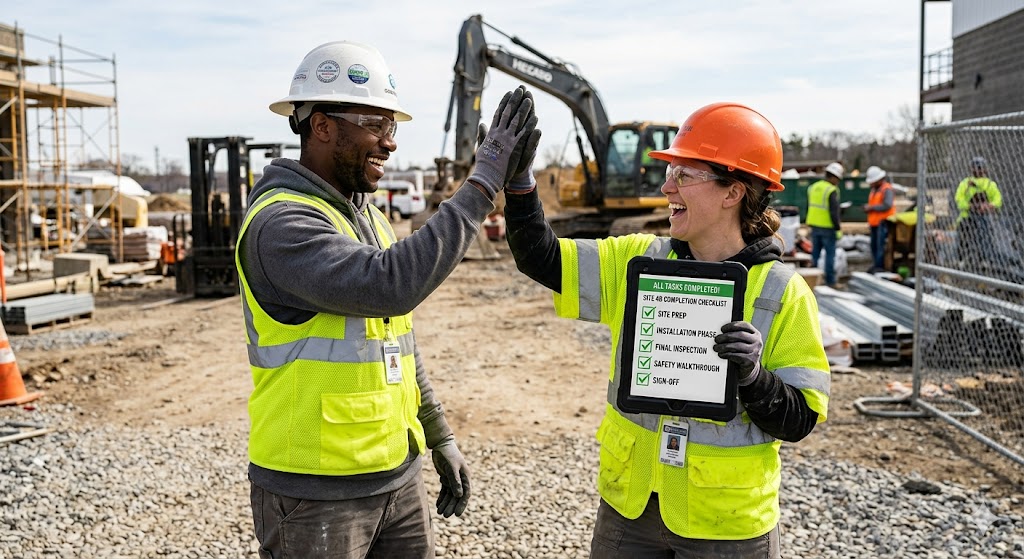
5. Celebrating Small Wins and Saving Hours Every Week
When you add up all the minutes saved from fewer drives, faster scans, instant syncing, and clean handwriting, something amazing happens. Your company experiences a massive wave of Time Reclamation. Time reclamation is a highly positive phrase that means winning back your lost hours so you can spend them on things that truly bring value and joy to your life and business.
Saving just fifteen minutes on every single customer visit can add up to five or ten extra hours per worker every single week. Think about what your amazing team can do with all that found time! They can take extra care of an important client, attend a helpful skill-building class, or simply finish their work early enough to eat dinner with their loved ones.
This massive boost in daily speed does not mean your team has to rush or work harder. In fact, they are actually working much lighter because the smart mobile software removes the heavy, boring friction from their lives. Operating with this level of speed and clarity lifts the spirits of your entire organization. It turns your daily business path into a series of wonderful, stress-free victories. By taking NetSuite to the field, you choose a bright future where time is treated as your most precious gift.
- Hours Won Back: Teams win back up to ten hours of freedom every single week.
- Lower Stress: Stress levels drop because boring tasks are automated away.
- Better Culture: Your company creates a modern workplace that attracts top talent.

Easy Steps to Get Started with a Field App
1. Finding Your Core Field Needs
Before you buy any new digital tool, you must sit down and look closely at your daily work. This initial step is called a Needs Assessment. A needs assessment is just a friendly phrase for making a list of the exact problems your workers face and the specific features they need to do their jobs better.
You should talk directly to your outdoor employees. Ask them about their daily routines. Find out what takes them the most time. Are they spending too many hours writing down customer addresses? Do they struggle to remember parts numbers?
Once you understand their daily steps, you can create a simple checklist of what your new software must do. For instance, if your team works in deep basements, your checklist will state that the app must save data without an internet connection. If they deliver large boxes, you will note that the app needs a fast barcode scanner.
Making this clear list protects you from buying overly complicated tools that your team will not use. It keeps your path simple, focused, and completely positive. You are building a strong foundation for your company’s digital journey.
- What is the most boring task you do every day? Find the bottlenecks first.
- How many times do you lose paper notes? Measure the risk of old ways.
- What feature would make your job feel like a breeze? Focus on worker joy.

2. Choosing the Best Matching Application
Once you know your exact needs, it is time to look for the perfect software program. When shopping around, you will see the word Compatibility. Compatibility means how beautifully and easily two different computer programs can talk to each other and share files without creating any errors or technical bugs.
You want an application that has perfect compatibility with NetSuite. It should link to your central office system directly. Avoid applications that require you to buy extra tools just to move data back and forth. The setup should feel as simple as plugging a lamp into a wall outlet.
To make the best choice, you can request a live demonstration from the software company. A demonstration is a short, friendly show where an expert guides you through the app screens to prove how it operates. During this show, look closely at how clean the menus appear. Ensure the buttons are large and easy to tap. A great app partner will be very happy to answer your questions and support your business goals with a warm smile.
| Good Partner Signs | Warning Signs |
| Answers your questions with simple words | Uses confusing technical jargon |
| Offers a free trial period to test features | Forces you to buy without trying first |
| Shows clear links to your NetSuite system | Requires complex setup steps |

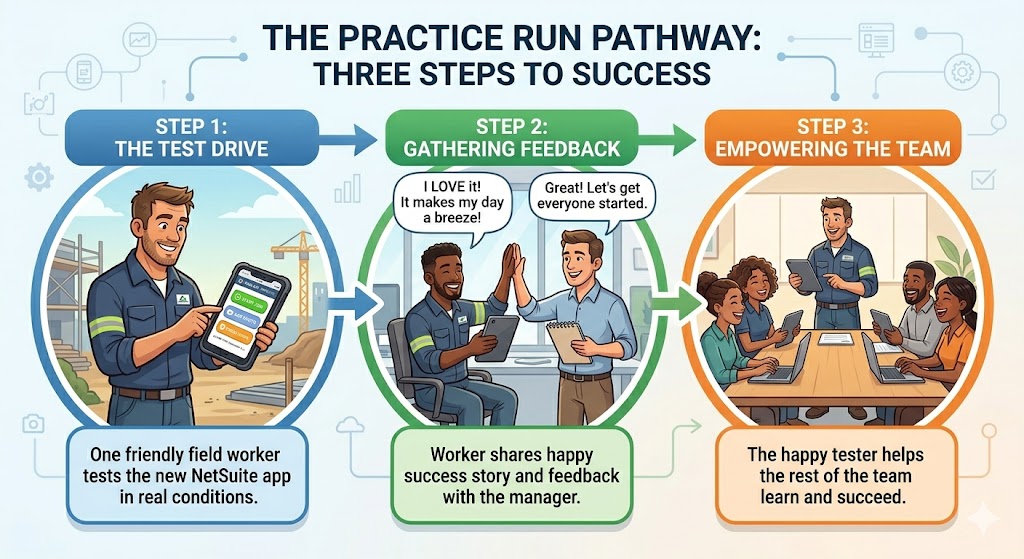
3. Running a Small Test with a Friendly Group
Instead of giving the new application to all your employees at the same time, it is much wiser to start small. This smart method is called a Pilot Project. A pilot project is simply a small practice run of a new plan using just a few workers and a limited amount of time to ensure everything runs beautifully.
Pick two or three of your most positive and helpful field workers for this practice run. Give them the mobile application and let them use it during their normal customer visits for one single week. Tell them to try all the buttons, snap photos, and test the scanning features.
This small test allows you to see how the application behaves in the real world. It gives you a safe space to spot any small issues before everyone else starts using the tool. More importantly, these practice workers will become your special helpers. They will see how easy the app makes their lives. When the week ends, they will tell their fellow teammates how much they love the new system. This positive word-of-mouth creates a wonderful wave of excitement across your entire organization.
- Choose a small group of friendly, tech-positive field workers.
- Give them tablets with the application fully installed and ready.
- Gather their feedback at the end of the week to learn from them.
4. Teaching Your Team in a Fun Way
Now that your practice run is complete, you are ready to teach the rest of your staff. This step is known as User Adoption. User adoption is a friendly phrase that describes the journey of employees learning a new tool, feeling comfortable with it, and choosing to use it happily every day.
To achieve great user adoption, keep your training sessions short, light, and encouraging. Never hand your team a thick, boring manual filled with tiny text. Instead, create a simple one-page guide with bright pictures that show exactly where to tap to complete a job.
You can gather your team together for a morning meeting with nice coffee and pastries. Let your practice workers lead the conversation. Have them show their friends how the app saves them from doing hours of messy paper documentation at night. Run a few fun practice matches where workers scan boxes or take photos of office objects. When training feels like a playful game, all nervousness disappears. Your team will leave the room feeling confident, fully supported, and eager to step out onto the road with their new digital companion.
- Bring nice treats to create a relaxed and celebratory mood.
- Use simple worksheets with clear screenshots instead of heavy text blocks.
- Celebrate victories for every worker who finishes their first digital form.
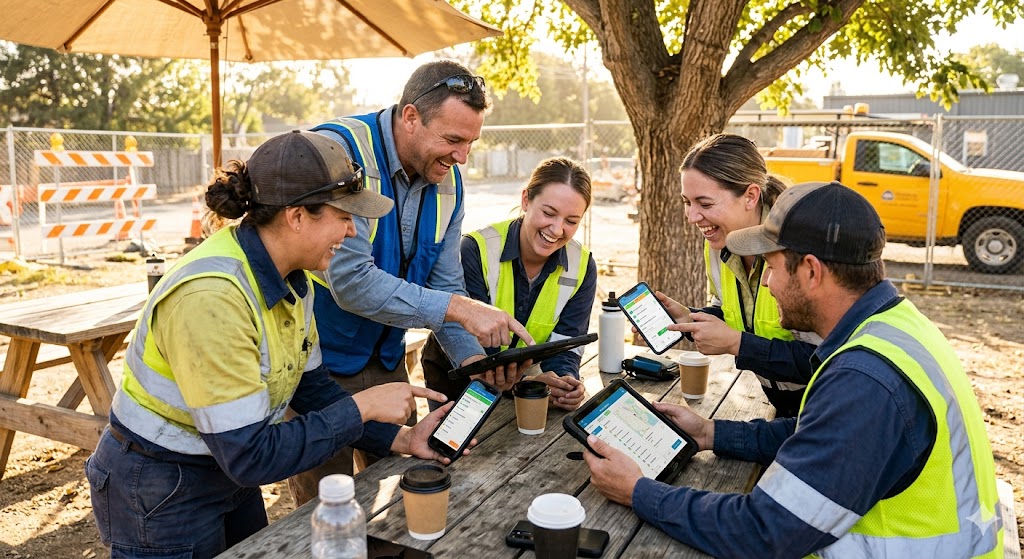
5. Flipping the Switch and Celebrating Growth
You have found your needs, picked a great application, tested it safely, and trained your wonderful staff. Now, you are ready for the final, most exciting step of all. This beautiful moment is called the Go-Live Launch. The go-live launch simply means turning on your new software system officially so that your whole company starts using it for real customer work.
On launch day, make sure your office support team is ready to help anyone who has a quick question. Keep the atmosphere highly positive and relaxed. As the hours pass, watch your main NetSuite computer screen at headquarters. You will see clean data, job photos, and customer signatures start rolling in automatically from all over the city.
Take a moment to celebrate this amazing milestone with your team. You have successfully removed the heavy burden of paper forms, slow communication, and human entry errors from your business. Your field employees are working faster and lighter, your customers are receiving instant service, and your cash flow is moving beautifully. By taking these easy steps, you have unlocked a bright, modern, and highly successful future for your entire enterprise.
- Instant Updates: See real-time project completions appear live on your dashboard.
- Happy Clients: Receive instant positive reviews from customers who love the speed.
- Unified Spirit: Feel the pride of leading a modern, high-tech business team.

Your Next Steps to Unlock Better Data Today
1. Setting Up a Clear Data Cleaning Plan
To get the best results from your new mobile tool, you must start with fresh records. This process is called Data Cleansing. Data cleansing is a friendly term for finding and fixing old, wrong, or double information in your computer files before you move them into a new system. Think of it like cleaning out your garage before moving into a beautiful new house. You do not want to carry old trash into your clean space.
Start by looking at your current customer list inside your system. Look for names that are written twice by mistake. Check if phone numbers are missing digits or if old addresses are out of date. You can assign a team member to spend one hour a day fixing these small details.
When your records are perfectly clean, your mobile application works much faster. Your field workers will never get confused by seeing two different accounts for the same client. This simple step saves your team from making avoidable mistakes on the road. It ensures that everyone is looking at the absolute truth. Starting with clean files makes your whole company feel organized and ready for great success.
- Remove double names from your main files.
- Update old phone numbers and street addresses.
- Delete old products that you do not sell anymore.

2. Creating Simple Rules for Data Entry
When your workers type notes on the road, they should all follow the same pattern. This practice is known as Data Standardization. Data standardization means creating simple, identical rules for how everyone types words, dates, and numbers into your business system. Without these rules, one worker might type a date as “June 12”, while another worker types it as “12-06”. This minor difference can confuse your main office computers.
To avoid this confusion, you can set up your mobile application to guide your team automatically. Use simple dropdown boxes where workers select an option from a list instead of typing text by hand. For example, instead of letting workers type a machine’s condition, give them three clear buttons: “Good”, “Fair”, or “Broken”.
These simple limits make data entry feel like an easy game. Your field staff can finish their forms in a few seconds without guessing what words to write. This uniform approach makes your company records incredibly neat and easy to read. Your office managers will be able to compare job notes instantly because everything looks perfectly identical and beautifully organized.
| Old Unruly Typing | New Standard Entry |
| Worker types a long story by hand | Worker taps one clear option list |
| Dates look different on every form | App fills in the date automatically |
| Part names are misspelled often | App scans the perfect item barcode |
3. Checking Your Real-Time Information Flow
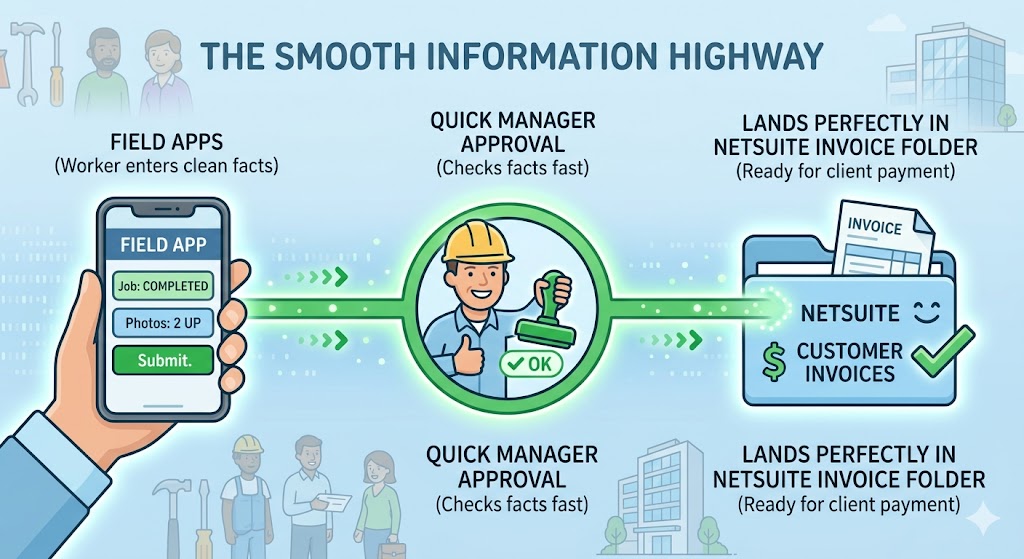
Once your rules are set, you should trace the path your records take. This activity is called Information Mapping. Information mapping means drawing a simple line that shows exactly how a piece of news travels from a worker’s phone to your manager’s office desk. Understanding this path helps you remove unnecessary delay steps.
Sit down with your team and follow a single test report. Watch what happens after a field worker presses the submit button. Does the note go straight to NetSuite? Does a manager need to approve it first? Does the bill send itself to the client immediately?
By looking at this flow, you can remove extra, boring checkmarks that slow down your business. You want your information to glide smoothly through the air without getting stuck in anyone’s email box. A short and direct data path means your company can react to customer needs with amazing speed. It turns your daily workflow into a joyful highway where facts travel instantly to keep everyone completely informed.
- Trace every step a field form takes to reach the office.
- Remove slow approval loops that hold back your billing.
- Connect workers directly to the software for instant sharing.
4. Reviewing Your Daily Business Dashboards
Now that clean information is flowing into your office, you can start enjoying it. To do this, you will look at your computer Dashboard. A dashboard is a friendly computer screen that gathers all your live business facts and shows them as simple, colorful pictures like charts and graphs. It works just like the speed screen inside your personal car. It tells you exactly how fast you are moving and how much fuel you have left.
Instead of reading long sheets of numbers at the end of the month, a manager can look at the dashboard every morning. You can see how many service jobs your team completed today. You can track which tools are being used most often. You can even see how happy your customers are.
This live view takes away all the guessing games from running a business. You can make smart, positive choices based on hard facts instead of simple feelings. If you notice a specific team needs help, you can send them support right away. It transforms you into a highly confident and successful leader who guides their company with perfect clarity.
- Watch live charts update as field workers finish tasks.
- Spot busy patterns to plan your work week beautifully.
- Share high scores with your team to celebrate their success.

5. Keeping Your System Fresh and Updated
The business world changes quickly, and your digital tools should grow alongside your success. This ongoing care is called a System Review. A system review means checking in with your team once a month to see how your software is working and finding ways to make it even more helpful.
Gather your field workers for a quick, casual chat every few weeks. Ask them if any screen feels slow. Find out if they want to add a new button or a fresh photo feature to their application. Technology is not a static object that stays the same forever. It is a helpful, living partner that can adjust to your daily needs.
Listening to your workers makes them feel incredibly valued and respected. They will see that their comfort is your top priority. This continuous improvement keeps your software feeling fresh, fast, and exciting to use. It ensures that your enterprise stays ahead of the competition and continues to operate with amazing speed, accuracy, and joy every single day.
| Monthly Check Item | Team Goal | Positive Result |
| Talk to field staff | Listen to their screen feedback | Workers feel valued and happy |
| Add new fast buttons | Simplify daily documentation | Tasks finish even quicker |
| Update customer lists | Keep master records fully fresh | Zero mistakes on the road |

A Final Word on Happiness and Speed
Bringing NetSuite out of the office and onto the job site is a big win for everyone. It connects your busy field workers directly to your central business team. This simple step clears away old barriers and creates an amazing amount of positive energy.
When you link your team together using smart tools, four happy things always happen:
- Workers are happier: They use friendly applications that are simple to master. This removes the stress of messy paperwork at the end of a long day.
- Office staff are happier: They instantly see real-time data from the road. “Real-time data” is just a friendly business phrase that means information is true and accurate at that exact second.
- Customers are happier: They get professional answers and fast service every single time.
- The business is happier: The entire company operates with incredible speed and perfect accuracy.
Here is a simple look at the journey your company takes. You move from a slow, paper path to a beautiful, digital highway of success.
| Old Slow Path (Without Field App) | New Fast Path (With Field App) |
| Handwrite project notes on a clipboard | Tap a tablet screen to instantly finish forms |
| Deliver paper files at the office late | Send clean facts and photos with one click |
| Customer bill is sent next week | Customer bill is sent in five minutes |
| Office waits to receive hard news | Office sees live work progress as it happens |
Choosing to link your whole team with a modern mobile application is one of the smartest and most joyous decisions a service company can make. It creates a modern workplace that people love to be a part of. We highly encourage you to take that first easy step today. Don’t just work harder; work smarter, work faster, and work happier!